
What Is a Chart of Accounts? A Guide for Business Owners
A chart of accounts is the list of accounts your business uses to record every transaction. Learn the five account types, numbering, and how to set one up.

TL;DR
- A chart of accounts is the master list of accounts your business records transactions against, grouped into assets, liabilities, equity, revenue and expenses (Xero).
- Assets, liabilities and equity appear on your balance sheet. Revenue and expenses appear on your profit and loss report (QuickBooks).
- Each account usually gets a number. A common convention runs assets 100 to 199, liabilities 200 to 299, equity 300 to 399, revenue 400 to 499 and expenses 500 to 599 (AccountingTools).
- Most small businesses only need 30 to 50 accounts to capture day to day activity (Xero). More detail is usually worse, not better.
- Every supplier invoice you receive ends up coded to one account, almost always an expense account. That link is where bookkeeping meets accounts payable.
A chart of accounts is the organized list of every account your business uses to record money coming in and going out, sorted into five types: assets, liabilities, equity, revenue and expenses. Think of it as the filing system behind your bookkeeping. Every sale, bill, loan and payment lands in one of its accounts, which is how your software can later produce a balance sheet or a profit and loss report. If you have ever opened Xero or QuickBooks, looked at a long list of account names and wondered who decided them and whether yours is right, this guide is for you. No accounting background needed.
What a chart of accounts actually is
Your general ledger is the complete record of every transaction your business makes. The chart of accounts is the index to it, a complete list of every financial account in that ledger, as Xero puts it. Nothing gets recorded without landing in one of these accounts.
The accounts are buckets, not transactions. Rent, Sales, Bank Account and Tax Owed are accounts. The rent you paid in July is a transaction that sits inside the Rent account. Set the buckets up well and your reports read clearly. Set them up badly and every report you ever run inherits the mess.
The five types of account
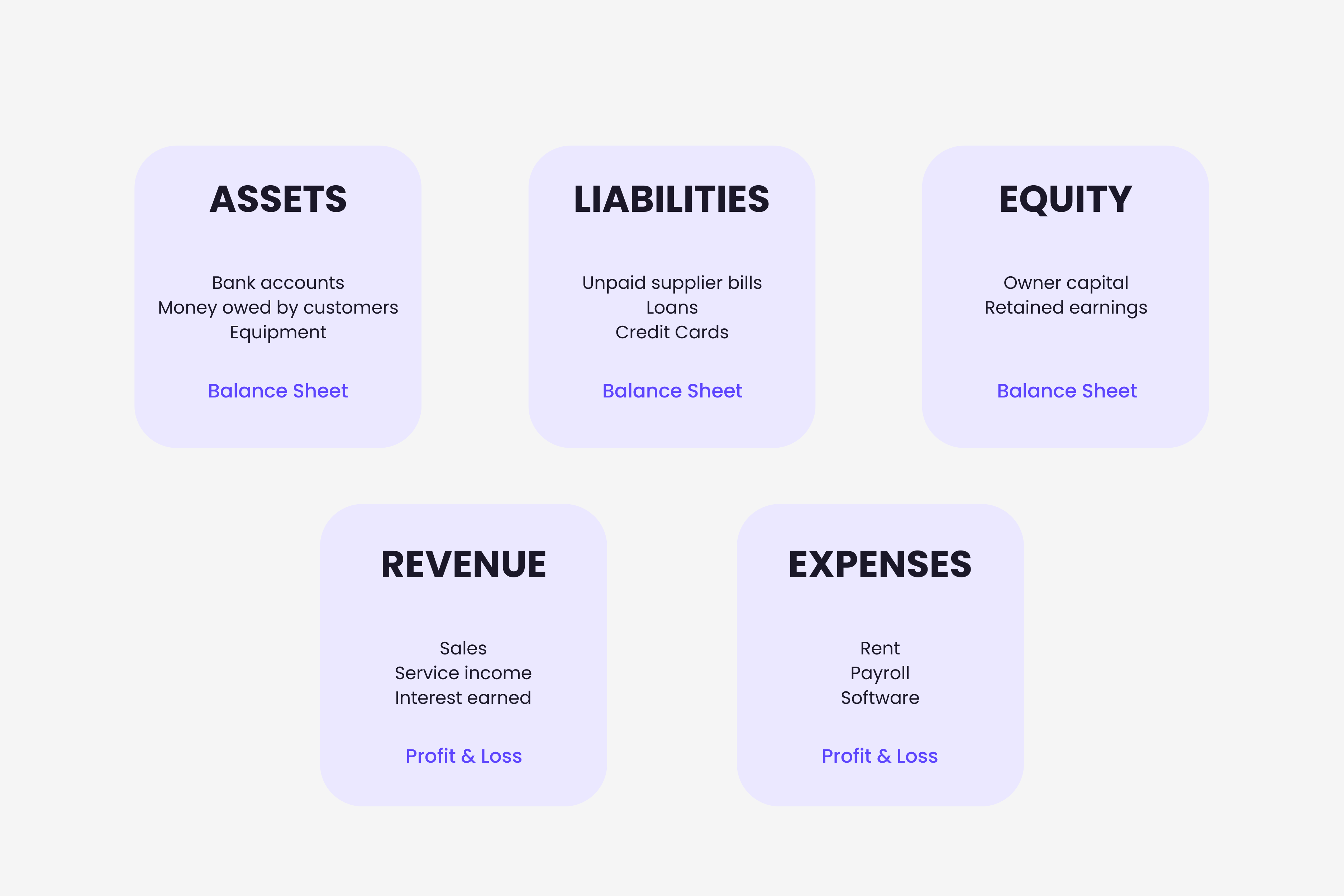
Almost every chart of accounts, whatever software sits underneath it, organizes accounts into the same five types. Xero and most accounting systems use assets, liabilities, equity, revenue and expenses, and everything else is a subdivision of one of these five.
| Account type | What it records | Where it shows up | Everyday examples |
|---|---|---|---|
| Assets | What the business owns or is owed | Balance sheet | Bank accounts, money owed by customers, equipment |
| Liabilities | What the business owes | Balance sheet | Unpaid supplier bills, loans, credit cards, tax due |
| Equity | What is left for the owners once debts are covered | Balance sheet | Owner capital, retained earnings |
| Revenue | What the business earns | Profit and loss | Sales, service income, interest earned |
| Expenses | What it costs to run the business | Profit and loss | Rent, payroll, software, supplier bills |
How account numbers keep it organized
Most charts give every account a number as well as a name, so the software can sort and group them without relying on how things are spelled. The numbers follow blocks. A widely used convention puts assets in the 100 to 199 range, liabilities in 200 to 299, equity in 300 to 399, revenue in 400 to 499 and expenses in 500 to 599, according to AccountingTools. Small businesses often keep to three digit codes, while larger companies expand to four or five digits so they can add divisions or departments.
You do not have to memorize any of this. Xero, QuickBooks and Holded all ship with a default numbered chart, and for most owners the sensible move is to start from that default and adjust it, rather than build one from a blank page.
How your chart of accounts feeds your reports
The reason the five types matter is that they split cleanly across your two main reports. Assets, liabilities and equity make up your balance sheet, the snapshot of what you own and what you owe on a given day. Revenue and expenses make up your profit and loss report, the story of what you earned and spent over a period, as QuickBooks explains. A clean chart is what makes those two reports readable. A bloated one is what makes an accountant sigh at year end.
How many accounts does a small business need
This is where most owners go wrong, and it is worth saying plainly. The instinct is to create more accounts for more detail. In practice, a straightforward list of 30 to 50 accounts is usually enough for a small business to capture its day to day transactions, according to Xero.
In our own work capturing supplier invoices from inboxes, the problem we see is rarely a missing account. It is too many of them. An owner opens a new expense line for every vendor, and a few months later the profit and loss report has dozens of near identical categories and tells them nothing. Fewer, well chosen expense accounts almost always beat a long tail of one off ones. You can add an account in seconds when you genuinely need it. Untangling a cluttered chart after a year of transactions is the painful version.
Where your chart of accounts meets your invoices
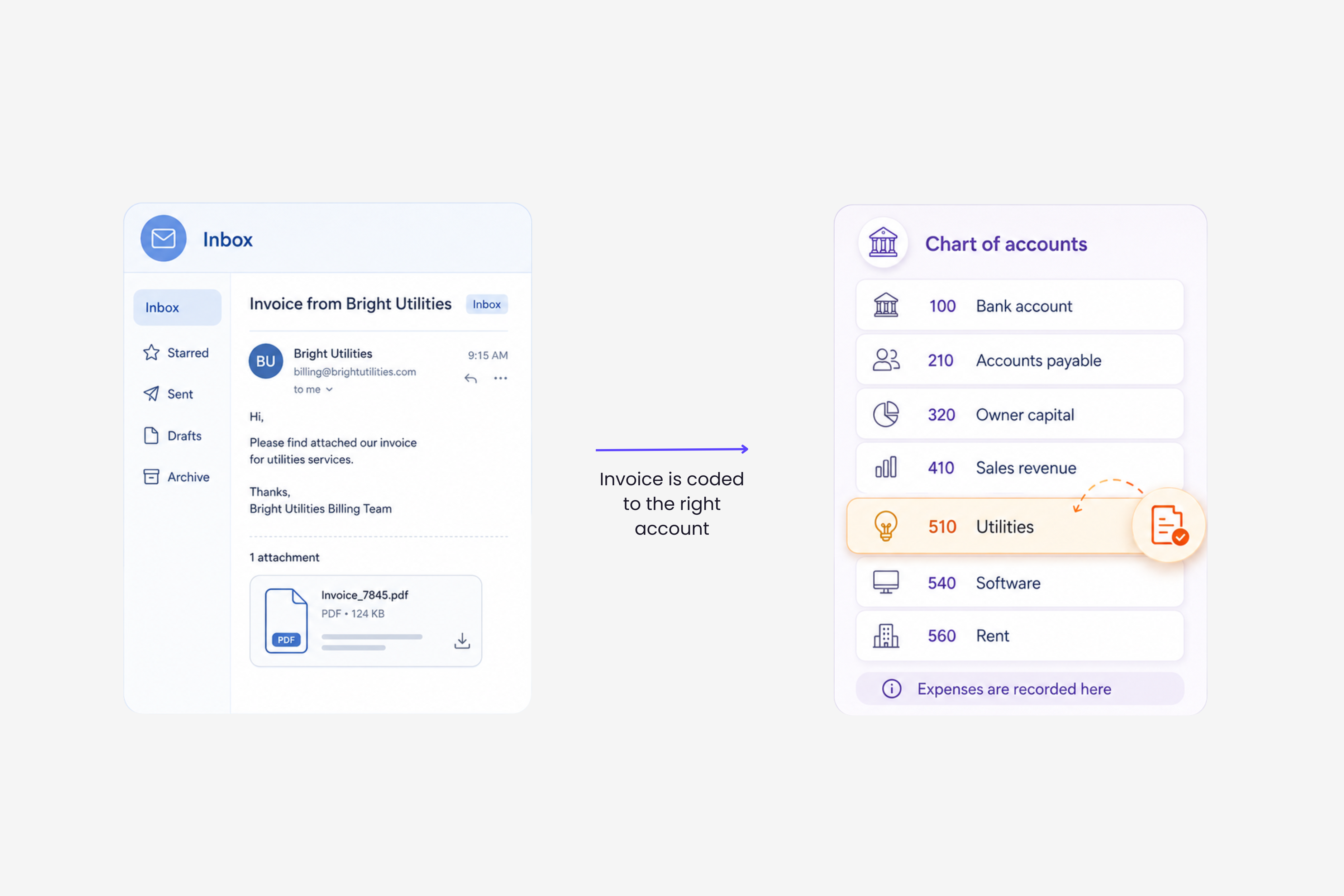
Here is the part that connects the theory to your day. Every supplier invoice you receive has to be coded to an account before it becomes a usable record, and that account is almost always an expense account. The electricity bill goes to Utilities, the design subscription to Software, the accountant's fee to Professional Fees. Multiply that by a few hundred invoices a month and coding becomes the slow, error prone part of every month end.
This is also where automation now sits. Tools can read an incoming invoice and pre-fill the right account code based on how similar bills from that vendor were coded before, so the invoice reaches your books already categorized. We go deeper on this for Xero in how AI learns your account coding from past invoices, and on the same approach for QuickBooks in auto-categorizing bills by supplier. It is one piece of the wider move toward AI bookkeeping that small businesses are adopting. None of it replaces a well built chart. It just fills it in faster.
What a chart of accounts will not do for you
A chart of accounts is a structure, not a bookkeeper. It will not decide on its own which account a transaction belongs to, that judgment still comes from you, your accountant or a tool. It will not fix figures that were coded to the wrong place. And it is not the same thing as your general ledger. The chart is the list of accounts available. The ledger is the full history of what happened inside them. Get the structure right first, because everything downstream, your reports, your tax return, your read on whether the business actually made money, is only as clear as the chart sitting underneath it.
Frequently asked questions
What is the difference between a chart of accounts and a general ledger?
The chart of accounts is the list of accounts available to record against. The general ledger is the complete record of every transaction posted to those accounts. The chart is the menu, the ledger is everything that was actually ordered.
Can I just use a standard chart of accounts template?
Yes, and for most small businesses you should. Xero, QuickBooks and Holded each provide a default chart you can adapt. Starting from a template and trimming it is faster and safer than building one from a blank page.
How many accounts should a small business have?
Around 30 to 50 is enough for most small businesses to capture day to day activity, according to Xero. If your profit and loss report has grown to dozens of similar expense lines, you probably have too many accounts, not too few.
Do sole traders and freelancers need a chart of accounts?
Yes, though a small one. Even a one person business records income, expenses, a bank account and any tax owed, and each of those is an account. Your accounting software created a basic chart for you the day you signed up.
A chart of accounts only pays off if the transactions actually reach it. For most businesses the biggest leak is not the structure, it is the supplier invoices still sitting unopened in an inbox. Gennai finds those invoices in your Gmail or Outlook, reads them, and sends them through to Xero, QuickBooks or Holded, so they land against the right accounts instead of getting lost. You keep the chart you already built. Try it free, no card required.