
Invoice webhooks: what they are and how to send every invoice to n8n, Make or Zapier
What a webhook is, what an invoice webhook should carry, and how to connect Gennai to n8n, Make, Zapier or your own server, with a checklist for paying safely.

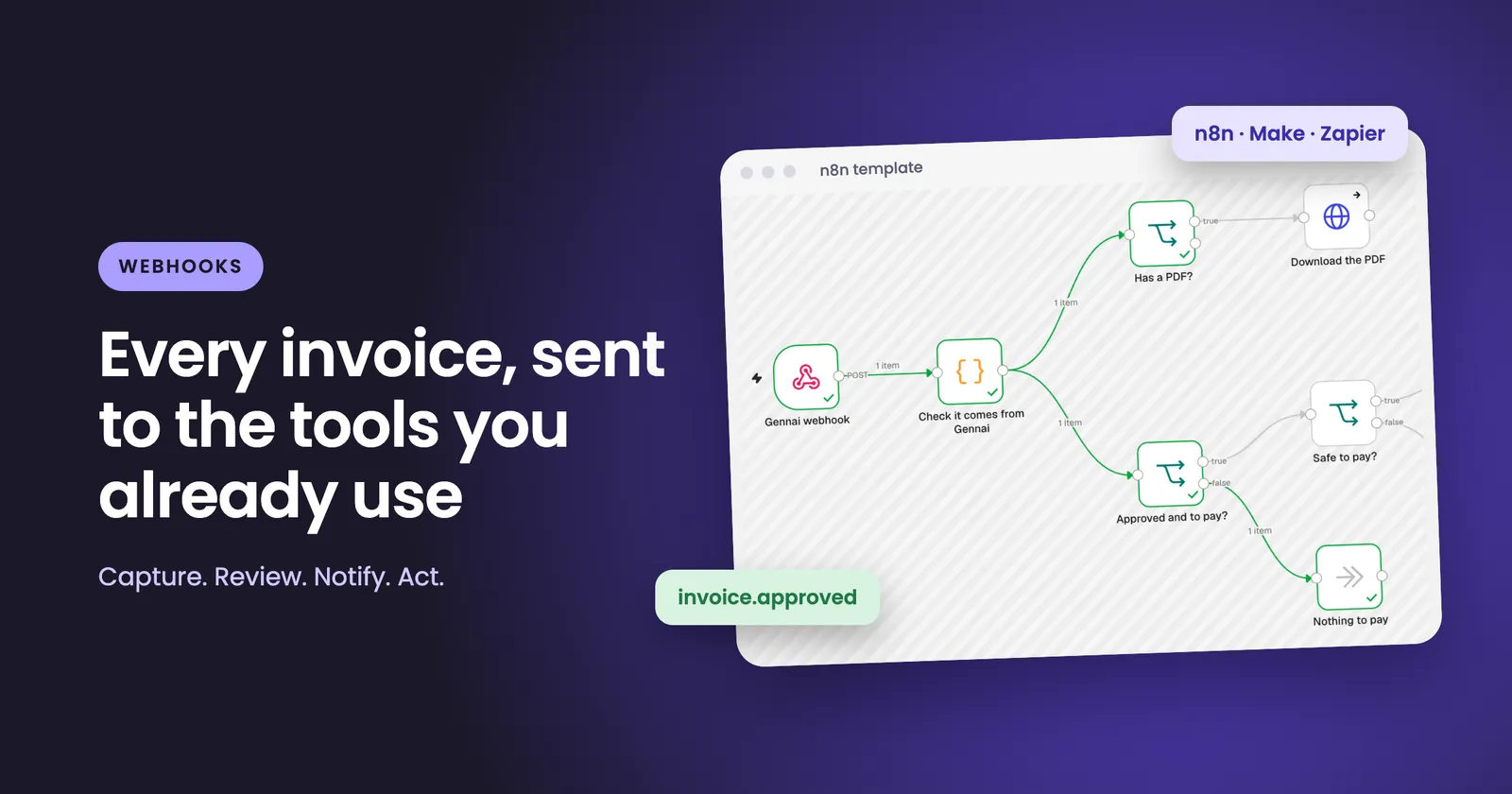
A webhook is a message one system sends to a web address you control the moment something happens. Instead of you checking an app for news, the app tells you. Gennai now sends webhooks for invoices: when an invoice is created, approved, ready to pay or paid, Gennai posts the whole invoice, as JSON, to the address you choose. From there, n8n, Make, Zapier or your own server can do the next step.
This guide explains how webhooks work, what a good invoice webhook should contain, how to connect Gennai in a few minutes, and how to build the one automation where mistakes cost money: paying a supplier.
What a webhook is, in plain terms
Most software integrations work by polling. Your tool asks another tool "anything new?" every few minutes. Most of those requests come back empty, and anything that arrives between two checks waits for the next one.
A webhook reverses the direction. You give the sending app a URL once. When an event happens, the app makes an HTTP POST request to that URL with the details in the body. Make's own guide puts the difference this way: webhooks are triggered by an event, not simply the presence of new information.
Four parts make up every webhook:
- The URL that receives the message. Your automation tool generates it.
- The event that caused it, such as an invoice being approved.
- The payload, the data about that event, usually JSON.
- The signature, a value that proves the message came from the sender and was not altered.
The signature is the part people skip and later regret. A webhook URL is just a web address. Anyone who learns it can post to it. If the automation behind it moves money or updates your books, you need a way to tell a real message from a forged one.
How webhooks are signed
Gennai webhooks carry three headers: webhook-id, webhook-timestamp and webhook-signature. These are the headers of Standard Webhooks, an open specification. In that scheme (standardwebhooks.com), the signature is an HMAC-SHA256 hash computed over the webhook id, the timestamp and the body, using a secret that starts with whsec_. The receiver recomputes it with the same secret and compares.
Two details matter in practice:
- Use the raw body. The signature covers the exact bytes that were sent. If your tool re-serializes the JSON before you check it, the signature will not match.
- Check the timestamp. A common replay guard is to reject any message whose timestamp is more than a few minutes old (five is the usual tolerance).
Gennai gives you the signing secret when you set up a webhook. You can generate a new one at any time, and the old secret keeps signing for 24 hours so you can swap it without a gap.
What Gennai sends
Gennai sends four notices. Each one tells you something different about where the invoice is in its life.
| Notice | When it is sent | Typical use |
|---|---|---|
invoice.created | A new invoice has been captured | Log it, alert a channel, start an intake checklist |
invoice.approved | The invoice has been approved | Kick off your payment preparation |
invoice.to_pay | The invoice is ready to be paid | Build a payment list or a draft payment |
invoice.paid | The invoice is marked as paid | Close the loop in your tracker or notify the supplier |
A few rules shape what you will and will not receive:
- Only events that happen after you add the webhook are sent. Nothing is replayed from the past.
invoice.createdis not sent for "Find past invoices" or bulk uploads, so a historical import will not flood your automation.- A notice is not sent if it is no longer true when it falls due, so you do not get a stale message.
- If a workspace moves to the Free plan, webhooks pause. Anything that happens while a webhook is paused is not sent later.
Webhooks are included in every paid plan from Starter, up to five per workspace. The owner, members and accountants can manage them.
What is inside an invoice webhook
Each notice carries the whole invoice and its payment status at that moment, so your automation does not need to look anything up. This is a trimmed notice for an approved invoice:
{
  "type": "invoice.approved",
  "data": {
    "invoice": {
      "id": "cmx8k2…",
      "number": "INV-2041",
      "due_date": "2026-12-02",
      "supplier": { "name": "Example Supplies Ltd" },
      "amount": { "total": "120.00", "currency": "GBP" },
      "payment": {
        "status": "to_pay",
        "amount_due": "120.00",
        "account_number": "12345678",
        "sort_code": "12-34-56",
        "reference": "INV-2041",
        "bank_details_check": "trusted",
        "hold_reasons": ["informational_event"]
      },
      "flags": { "possible_duplicate": false },
      "erp": { "xero": { "invoice_id": "8f2c…" } },
      "pdf_url": "https://www.gennai.io/api/…"
    }
  }
}
The fields worth knowing:
data.invoice.idis the same in every notice for the same invoice. It is your key for "have I seen this invoice before?".supplierandamounthold the supplier details, tax numbers, total, subtotal, tax and currency.payment.statussays where the invoice stands:to_pay,overdue,scheduled,direct_debit,partly_paid,paid,credit_noteand a few others.payment.amount_dueis what is left to pay.- Bank details are as written on the invoice: IBAN and BIC, account number and sort code, routing number, BSB, BPAY details and the supplier's own reference, depending on the country.
payment.bank_details_checkcompares those details with what Gennai has seen from the same supplier:trusted,new,changed,driftorunknown.payment.hold_reasonslists reasons to wait before paying. The reasoninformational_eventcan be ignored. Any other reason means wait.flagsincludeapproved,archivedandpossible_duplicate.erpgives the matching bill or expense ids in Xero or QuickBooks, when the invoice has been exported there.pdf_urlpoints to the invoice PDF and is valid for 24 hours. Download it inside your flow if you need to keep it.
Test notices carry "test": true and never include the PDF link, so you can build safely before real invoices arrive.
Connect Gennai in four steps
The steps are the same whatever tool receives the webhook.
1. Create the receiving address. In your tool, create a webhook and copy its address:
- n8n: add a Webhook node, set the method to POST and copy the Production URL. n8n provides a test URL and a production URL, and the production URL registers when you publish the workflow.
- Make: add the Webhooks > Custom webhook module, which generates a unique webhook URL.
- Zapier: use Webhooks by Zapier with the Catch Hook event. Zapier generates a unique URL to paste into the sending app.
- Your own server: any
https://address that accepts a POST request.
2. Add it in Gennai. Go to Integrations, then Export & Sync, then Webhooks, and choose Connect (or Manage), then Add webhook. Paste the address and optionally name it. Tick the notices you want. None are ticked by default. Tick the consent box, save and turn the webhook on.
3. Copy the signing secret. You will paste it into the step that checks the signature.
4. Send a test. Gennai sends a full notice marked "test": true. Check that it arrives and that your signature check passes before you do anything else.
There is an optional extra under Advanced options: an authentication header that Gennai sends on top of the signature, for receivers that require one.
Start from the ready-made n8n flow
If you use n8n, you do not have to build the checks yourself. Gennai provides a template. In n8n choose Import > From URL and paste https://www.gennai.io/help/files/gennai-n8n-template.json.
Then:
- Copy the Production URL of the webhook node into Gennai.
- Paste the signing secret into the node called "Check it comes from Gennai".
- Publish the workflow. On older n8n versions, set it to Active.
- Send a test from Gennai.
The flow verifies the signature, downloads the PDF when there is one, and sorts every invoice into one of three paths:
- Your step goes here: approved, still to pay or overdue, and nothing to check. This is where you add your own action.
- Check by hand first: new or changed bank details, a possible duplicate, partly paid, missing data or already sent. The reason travels with the invoice.
- Nothing to pay: tests, and invoices that are already paid, paid by card or direct debit, or credit notes.
The template pays nothing by itself. You add the step, such as a draft payment in your bank or payment app. If you self-host n8n, the Code node must be allowed to use the crypto module. n8n Cloud already allows it.
The rules for automating payments from an invoice webhook
Any webhook that can lead to a payment needs rules that are stricter than the rules for logging or notifying. Gennai does not make payments and does not move money. Your automation does, so the discipline lives in your flow. These are the checks that matter, and they map directly to fields in the notice.
Pay only when all three are true:
payment.statusisto_payoroverdue.payment.bank_details_checkistrusted.payment.hold_reasonscontains nothing exceptinformational_event.
And always:
- Verify the signature first. Never act on a notice you have not verified. This is the only thing standing between a forged request and a payment.
- Pay each invoice once. Keep a list of the
data.invoice.idvalues you have already paid. Re-approving an invoice sends a new Approved notice with a newwebhook-id, so deduplicating on the delivery id alone is not enough. The invoice id is the safer key. - Keep the supplier's reference on the payment. Use the
referencefrom the notice so the supplier can match the money to the invoice. - Stop on changed bank details. When
bank_details_checkisnew,changedordrift, do not pay automatically. Confirm the details with the supplier by phone, using a number you already had, before releasing money. A changed bank account is one of the classic patterns in supplier invoice fraud. - Hold anything flagged.
possible_duplicate: true(see how duplicate invoices slip through),partly_paidand missing data belong in a human review queue.
None of this requires heavy tooling. It is a short chain of conditions, and the n8n template already implements the sorting. What you add is the last step and the memory of what you have paid.
Keeping the connection reliable
Webhooks are delivered over the internet, so receivers should expect retries, duplicates and the occasional outage.
- Respond quickly with a 2xx status. Gennai expects an answer within 15 seconds. Do slow work after you have acknowledged the message.
- Expect retries. If delivery fails, Gennai retries for up to three days, and every retry keeps the same
webhook-id. That id is how you spot a repeat. - Rate limits are respected. If your receiver answers 429 or 503 with a Retry-After header, Gennai waits.
- Redirects are not followed. Use the final address.
- A webhook can stop. An HTTP 410 response, or three days of failures, moves it to Stopped, and events while it is stopped are not sent. Fix the receiver, then use "Turn on again".
- You can see what happened. Recent deliveries from the last 30 days are visible in Gennai.
If something is wrong, start here:
| Symptom | Likely cause |
|---|---|
| 404 on the test | The n8n workflow is not published, or the Zap is off |
| 401 or 403 | The authentication header does not match |
| Signature mismatch | The tool changed the body (use the raw body; in n8n choose Raw Body), the wrong secret is in use, or the server clock is off |
What to build with it
For the wider picture of connecting invoice tools to your books, see the invoice system integration guide. Here, the focus is what you can build on top of the webhook.
Once invoices arrive as structured data, the useful automations are modest and specific:
- Post each approved invoice to a team channel with supplier, amount and due date.
- Append every invoice to a sheet your client or partner already reads, with the PDF downloaded and stored.
- Route invoices with changed bank details to a named reviewer, with the reason attached.
- Prepare a payment run from invoices that pass the checks above, for a person to approve in the bank.
- Mark an invoice as settled in your project or CRM tool when
invoice.paidarrives.
For accountants and bookkeepers managing several clients, the same webhook structure repeats per workspace, so one reviewed flow can be copied instead of rebuilt.
Privacy and where the data goes
Gennai sends invoice data only to the addresses you add. Under Gennai's terms, that data cannot be used for advertising, sold, used for credit decisions or used to train AI. You stay in control of the destination, and you can pause or remove a webhook at any time.
Frequently asked questions
Do I need to write code? No. If you are still choosing between tools, Zapier vs Make for invoice automation compares them. n8n, Make and Zapier each give you a URL without code, and Gennai's n8n template covers the signature check and routing. Your own server needs code to receive and verify the request.
Why did I not receive my old invoices? Webhooks send events that happen after you add them. They are not a backfill. Gennai also does not send invoice.created for "Find past invoices" or bulk uploads.
Is a webhook the same as an API? No. An API answers when you ask. A webhook speaks when something happens. Gennai webhooks push notices to you so you do not need to keep checking.
Can I use more than one? Yes, up to five per workspace. For example, one for your accounting team's channel and one for your payment preparation flow.
Where to start
Add a webhook, tick only invoice.approved, import the n8n template and send a test. You will see a full invoice arrive, signed and sorted, in a few minutes. Then add your own step at the end.
If you are not using Gennai yet, you can start free and connect your inbox to see how invoices arrive, and the full webhook guide covers every field and setting.