
Supplier statement reconciliation: find the bills your books never saw
Compare a supplier statement to your ledger, sort every difference into three types and act on each one. Includes a worked example with UK and Australian rules.

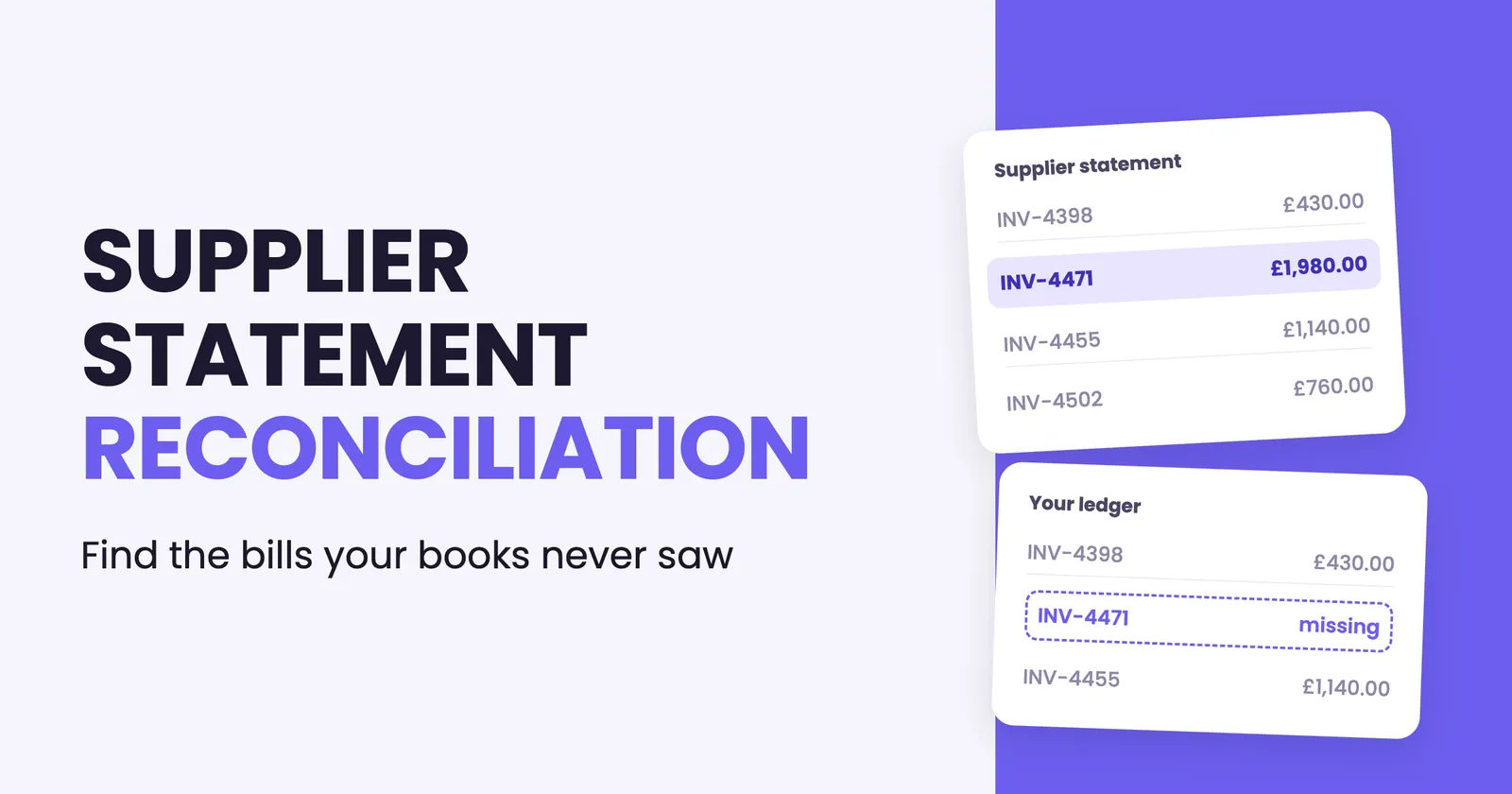
Supplier statement reconciliation is the routine of comparing a supplier's own statement of account with the balance your ledger holds for that supplier, then explaining every difference. It earns its place because it is the one check that finds a bill you owe but never recorded. Bank reconciliation cannot do that: a bill you have neither paid nor entered leaves no trace in your bank account or your books. Only the supplier's record shows it.
This guide covers how to run the comparison in Xero or QuickBooks Online, how to sort what you find into three types of difference, and what to do with each. It includes a worked example in pounds and the document rules that matter in the UK and in Australia.
Why the bank will not catch these bills
Bank reconciliation starts from payments. It proves that money that left your account is explained by a record in your books. A supplier invoice that landed in a colleague's inbox, stayed in a supplier portal or never left the supplier's system has no payment yet, so no bank line points to it. It sits outside both records until the supplier chases you, a late fee appears or a VAT return or BAS goes in without it.
The opposite problem, a payment with no invoice behind it, is a different routine, covered in bank transactions with no invoice. The two checks complement each other: the bank finds money without paper, the supplier statement finds paper without money.
Choose which suppliers to reconcile
You do not need to reconcile every supplier every month. Rank them by exposure:
- Spend. The few suppliers that make up most of your payables are where a missed bill costs the most.
- Volume. A supplier that sends many small invoices each month is where one goes missing without anyone noticing.
- Credits. A supplier that issues credit notes can leave you overstating what you owe if one is never recorded.
- History. Any supplier that has chased you, billed you twice or skipped a month deserves a second look.
Reconcile the top handful monthly, put the rest on a quarterly rota, and always run the list before a VAT return or BAS is finalised. An unrecorded bill is input tax or a GST credit that is not yet on the return.
The reconciliation in four moves
1. Fix the date. Use the date on the statement, not today's date. In Xero, find the supplier's section in the Aged Payables Detail report and run it as at the statement date. In QuickBooks Online, run the A/P Aging Detail or Vendor Balance Detail report for the same date. Intuit notes that the A/P aging report leaves out bills marked paid, and that a Vendor Balance report run as at the balance sheet date is the version that agrees with the balance sheet.
2. Compare the closing balances. If the supplier's closing balance and your ledger balance agree, the supplier is done for the month. On a high-risk supplier, still scan the lines: two errors of the same size in opposite directions cancel out and hide.
3. Tick off the matches. Go line by line, matching on invoice number and amount. Whatever is left unmatched on either side is your list of differences.
4. Classify and act. Each leftover line belongs to one of three types, and each type has its own fix. Then recheck: once you have adjusted for the differences, the two balances should agree.
The three types of difference
| Type | What it usually means | What you do |
|---|---|---|
| 1. On the statement, not in your books | A bill you never received or never entered. A credit note or payment the supplier recorded and you did not | Get the document, check it is addressed to the right business, record it |
| 2. In your books, not on the statement | A payment still in transit. A bill dated after the statement. A duplicate you entered. A bill the supplier never issued | Confirm the timing, remove duplicates, query anything else |
| 3. On both, with a different amount | A price or VAT difference. A part payment the supplier applied differently. Rounding or an exchange-rate gap | Ask for the invoice, decide which side is wrong, correct your bill or ask for a credit |
Timing items in type 2 are not errors. Leave them on your list and check that the next statement clears them. A payment that is still unmatched on the second statement is no longer a timing item.
A worked example
The figures below are illustrative, for one supplier at 31 October.
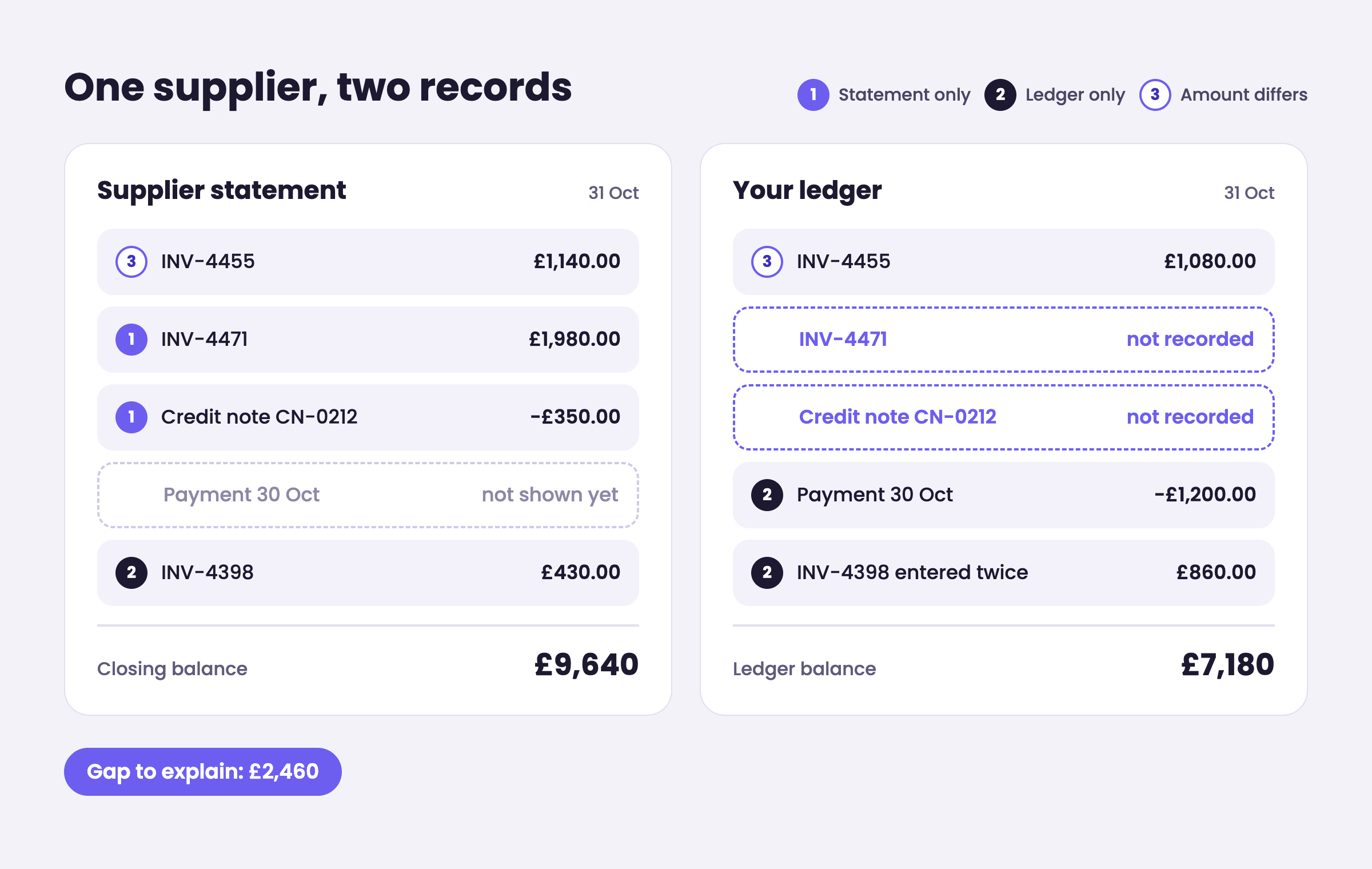
| Line | Supplier statement | Your ledger | Type | Action |
|---|---|---|---|---|
| INV-4471, 21 Oct | £1,980.00 | Not recorded | 1 | Get a valid VAT invoice, then record the bill |
| CN-0212, 24 Oct | Credit of £350.00 | Not recorded | 1 | Get the credit note, record it, apply it to a bill |
| Payment, 30 Oct | Not shown yet | £1,200.00 paid | 2 | Timing: check the next statement |
| INV-4398, 12 Oct | £430.00 | £860.00 (entered twice) | 2 | Void the duplicate |
| INV-4455, 17 Oct | £1,140.00 | £1,080.00 | 3 | Ask the supplier which amount is right |
The statement closes at £9,640 and the ledger at £7,180, a gap of £2,460. Now adjust. On the ledger side, add the missing bill (£1,980), deduct the credit note (£350), add the £60 price difference, assuming the supplier's figure is correct, and remove the duplicate (£430). That gives £8,440. On the statement side, take off the £1,200 payment the supplier has not yet received. That also gives £8,440. The two sides agree, and every line has an owner.
The missing bill is the expensive one. At 20% VAT, £330 of the £1,980 is input tax that appears on no return until the bill is in your books, and the bill itself is a liability you were not tracking.
A statement is not a tax invoice
Reconciling a statement tells you a bill exists. It does not give you the document you need to claim the tax on it.
United Kingdom. HMRC's input tax guidance lists the evidence that supports a claim: a full VAT invoice, a self-billed invoice under an approved arrangement, a less detailed invoice where the total is £250 or less, and authenticated receipts in the construction industry. A statement is not on that list. HMRC's manual points to alternative evidence only where acceptable evidence is not available, and its VAT fraud guidance says HMRC has discretion where a business shows it could not obtain a valid invoice. That discretion is for cases where the business tried and failed to get the invoice. The practical move is to ask the supplier for the invoice.
Australia. The ATO says you must have a tax invoice to claim a GST credit on purchases over A$82.50 including GST. Your supplier has 28 days to provide one after you ask for it, and the ATO says to wait until you have it before claiming. If the supplier does not provide a valid one within that time and you cannot fill the gaps from other documents, you can ask the ATO to treat a document as a valid tax invoice. The BAS-week routine for chasing and claiming is in missing tax invoices before BAS, and the difference between the documents is in invoice vs receipt vs tax invoice.
Getting the missing bill
For a type 1 line, work through the places a document can be, in order of cost:
- Search your mailboxes for the supplier name and the date window around the statement line, including the owner's personal inbox and any shared mailbox.
- Check the supplier's portal, where many suppliers post invoices without emailing them.
- Ask the supplier for a copy, quoting the number from their statement.
Confirm that the invoice names the right business before you record it. If your amounts disagree on a type 3 line, what to do with a wrong invoice covers the request for a corrected invoice or credit note. If a duplicate turns up in your own books, duplicate invoice detection covers why exact matching misses reformatted numbers and resent bills.
If a supplier does not send statements
Many suppliers send statements only on request, and some never do. Ask for a statement of account in your next email. If the supplier cannot produce one, use the account or invoice history in their portal as the other side. If there is nothing at all, send them your ledger for the period, listing the invoices and payments you hold, and ask them to confirm it or list what is missing. That puts the comparison with the party that holds the other record.
Where the work is mechanical, and where it is not
Most of this routine is matching: ticking off lines that agree. That part can be automated, and in the levels of accounting autonomy it sits near the top for matching. The differences are where judgment stays. Deciding that a line is a missing bill rather than a timing item, whether the supplier's price is right, or what to do when no invoice exists are decisions with a cost attached, and they are the part that stays with a person.
Where Gennai fits
Gennai does not reconcile supplier statements today, and this routine does not need it to. Where it helps is the slowest step, finding the missing bill. Gennai connects to Gmail, Outlook or IMAP mailboxes with read-only access and captures supplier invoices, including invoices that live in the email body rather than a PDF. It flags duplicates across what it has captured, and it exports to Xero, QuickBooks Online or Holded. A retroactive scan of a selected date range can recover older invoices from a connected mailbox, which suits statement lines that point to bills from weeks ago. Review and correction stay with you. If a bill never reached a connected mailbox, no scan will find it, and the request to the supplier is the route.
Separately, Gennai can reconcile an uploaded bank statement against captured invoices and highlight payments with no document, the problem described at the start. It does not connect to your bank.
If your missing bills usually turn out to be sitting in an inbox, you can try Gennai free on one mailbox and see what a scan of last quarter finds.