
Gennai Pricing Explained: Is It Worth the Cost?
Every Gennai plan explained line by line, with a clear framework to decide whether the subscription cost makes sense for your invoice volume and workflow.

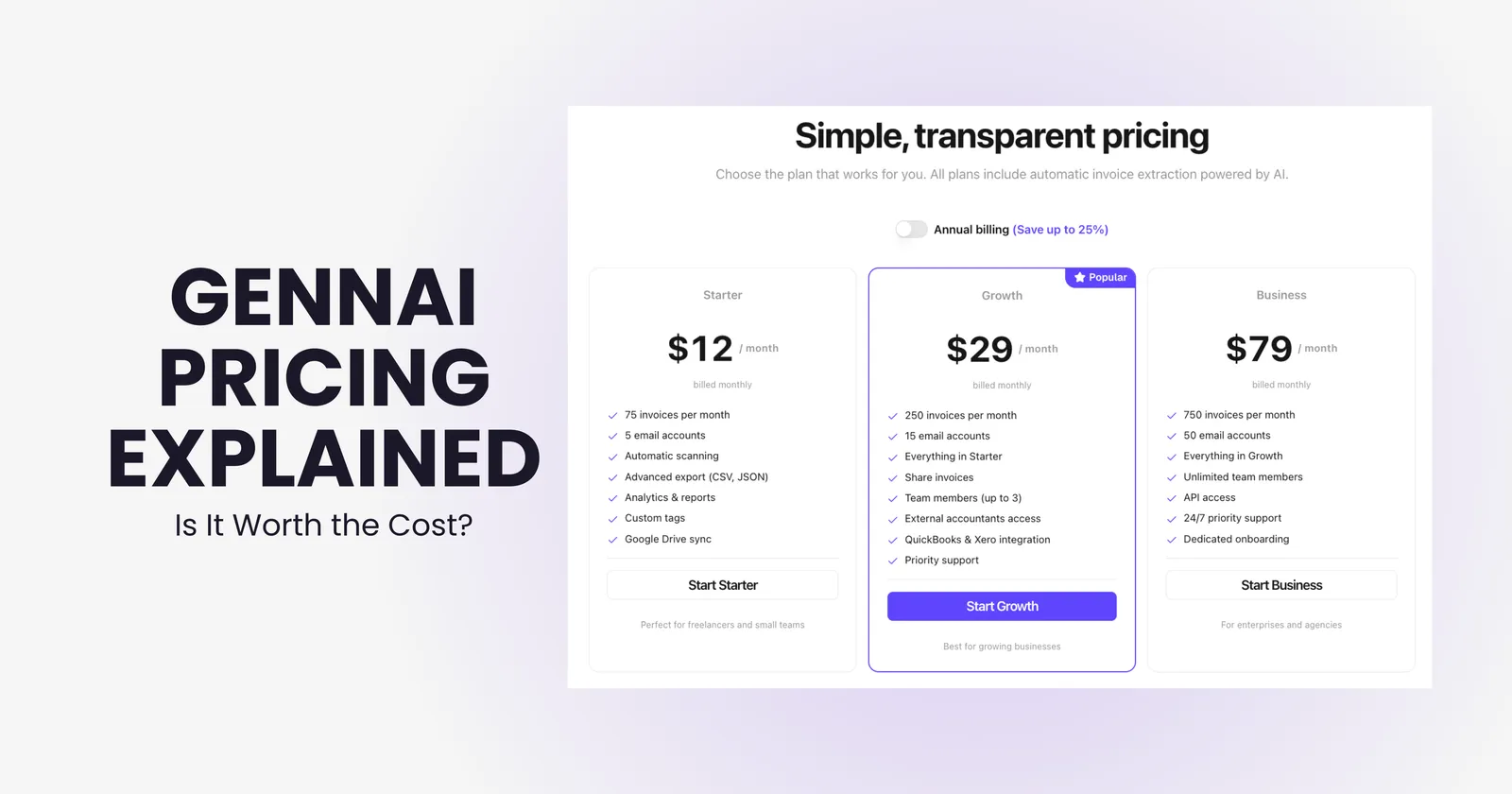
Pricing pages answer what something costs. They rarely answer whether it is worth it. This article does both: walks through every Gennai plan clearly, explains what is and is not included, and gives you a honest framework to figure out if the numbers make sense for your situation.
The short version: Gennai has a free plan with no time limit, paid plans start at $12 a month, and every plan exports to your accounting software. What changes as you move up is invoice volume, connected inboxes and automatic export.
The Plans, Line by Line
| Free | Starter | Growth | Business | |
|---|---|---|---|---|
| Price (monthly) | $0 | $12 | $29 | $79 |
| Price (billed yearly) | $0 | $9/mo | $24/mo | $66/mo |
| Invoices per month | 10 | 75 | 250 | 750 |
| Connected inboxes | 2 | 5 | 15 | 50 |
| AI invoice capture and extraction | Yes | Yes | Yes | Yes |
| Export to Xero, QuickBooks Online, Holded and CSV | Yes | Yes | Yes | Yes |
| Automatic export to Xero and QuickBooks Online | No | No | Yes | Yes |
| Bank reconciliation (beta) | Yes | Yes | Yes | Yes |
What Each Plan Is Actually For
Free
Ten invoices per month, two email accounts, with no time limit and no credit card required. This is a real working plan, not a trial. It is enough to test extraction quality on your actual invoice formats before spending anything. Freelancers or very small businesses with low invoice volumes can stay on Free indefinitely. For a complete walkthrough of what the product does at every step, see how Gennai works.
Starter ($12/month)
The entry paid tier for small businesses with a consistent monthly invoice flow. Seventy-five invoices covers most teams processing between 2 and 4 invoices per working day. The jump from Free raises the allowance to 75 invoices and five connected inboxes.
Growth ($29/month)
The plan where export becomes automatic. Every plan can export to Xero, QuickBooks Online and Holded; on Growth, invoices go to Xero or QuickBooks Online on their own, without anyone pushing them by hand. Two hundred and fifty invoices per month covers a busy finance team across 15 connected inboxes. This is the most common fit for growing SMBs and for businesses handing access to an external bookkeeper.
Business ($79/month)
For larger teams, agencies, and businesses processing serious invoice volume. Fifty email accounts and 750 invoices per month covers high-volume operations. It suits businesses with a high monthly invoice volume, many inboxes or several companies to manage.
Add-On Credits and Annual Billing
If you hit your monthly invoice limit, you can purchase additional credits that never expire. This is useful for businesses with seasonal invoice spikes: a quiet month does not mean wasted capacity, and a busy month does not mean being cut off. Credits roll over until you use them.
Annual billing locks in a discount of up to 25% across all paid plans. On Growth, that is $24/month instead of $29, a saving of $60 over the year; on Business, $66/month instead of $79, a saving of $156. A yearly plan also unlocks the full annual invoice allowance on the day you buy it, which helps with seasonal spikes and retroactive scans.
Is It Worth the Cost?
The ROI question has a clear answer for most businesses that process invoices manually today. The calculation that matters is not Gennai's subscription cost versus zero: it is Gennai's subscription cost versus what you are currently spending on the same work.
If your team processes invoices manually
The cost to compare against is the time your team spends finding invoices in inboxes, downloading attachments and typing the data into your accounting software, plus the errors and late payments that manual entry causes. If that adds up to more than a few hours a month, a paid plan costs less than the work it removes.
If you are an accountant managing client invoices
Time spent chasing and organizing client invoices is time not spent on advisory work. When your clients use Gennai, they can give you access to their dashboard, so you review and export their invoices yourself instead of waiting for them to arrive by email.
If you are a small team with low invoice volume
If your volume genuinely stays under 10 invoices a month, Free may be all you need. Move to Starter once you regularly hit that limit or need more than two connected inboxes.
The clearest signal that Gennai is worth it: if you or someone on your team spends more than 30 minutes per month searching for, downloading, or manually entering invoice data, the subscription cost is covered before the month is out. For a full breakdown of what manual invoice processing actually costs, the article on the real cost of manual invoice processing walks through the numbers in detail.
What Gennai Does Not Include
Being clear about scope matters as much as listing features. Gennai does not include employee expense management, mileage tracking, payroll or tax filing. It does not connect directly to your bank: bank reconciliation works from a statement you export from your bank and upload. It does not pay suppliers or move money either; for Australian businesses it can generate an ABA file for batch payments, which you then upload to your bank. Paper receipts and photos are covered by sending them over WhatsApp or Telegram.
For teams evaluating Gennai against broader platforms that include these features, the Gennai vs Dext comparison covers where the two products differ in scope and when each is the right fit.
Which Plan to Start With
- Under 10 invoices per month: Free plan, no commitment needed
- 10-75 invoices per month, solo or small team: Starter at $12/month
- 75-250 invoices per month, or you want invoices sent to Xero or QuickBooks Online automatically: Growth at $29/month
- 250-750 invoices per month, many inboxes or several companies: Business at $79/month
- Over 750 invoices per month: Custom plan, quoted on your volume
- Unsure of volume: count last month's supplier invoices, then test on Free with your real invoice formats
The quickest way to size your plan is to count the supplier invoices you received last month across every inbox. Then connect that inbox on Free and see how Gennai handles your real invoice formats before you pay anything. Once you upgrade, a retroactive scan can recover the rest of your invoice history.