 Gmail Integration
Gmail Invoice Scanner Powered by AI
Automatically find every PDF invoice in your Gmail, extract the data with AI, and organize it in one dashboard. No more digging through emails.
< 30s
Setup time
100+
Languages supported
3-layer
Deduplication
Why Manual Gmail Invoice Collection Fails
Most businesses still rely on searching Gmail and copy-pasting into spreadsheets. Here’s why that approach breaks down.
120+
emails per day
Buried in Your Inbox
The average business inbox receives 120+ emails per day. Invoices arrive as attachments mixed with newsletters, receipts, and marketing, making them nearly impossible to find reliably.
15-25h
per month
Hours of Manual Work
Finance teams spend 15-25 hours per month searching for, downloading, and manually entering invoice data. That's time that could go toward analysis and decision-making.
1-4%
error rate
Costly Errors
Manual data entry has a 1-4% error rate. At scale, that means missed payments, duplicate entries, and audit headaches. The cost per invoice processed manually ranges from $15 to $40.
How It Works
How Gennai Scans Your Gmail for Invoices
- 1Step 1
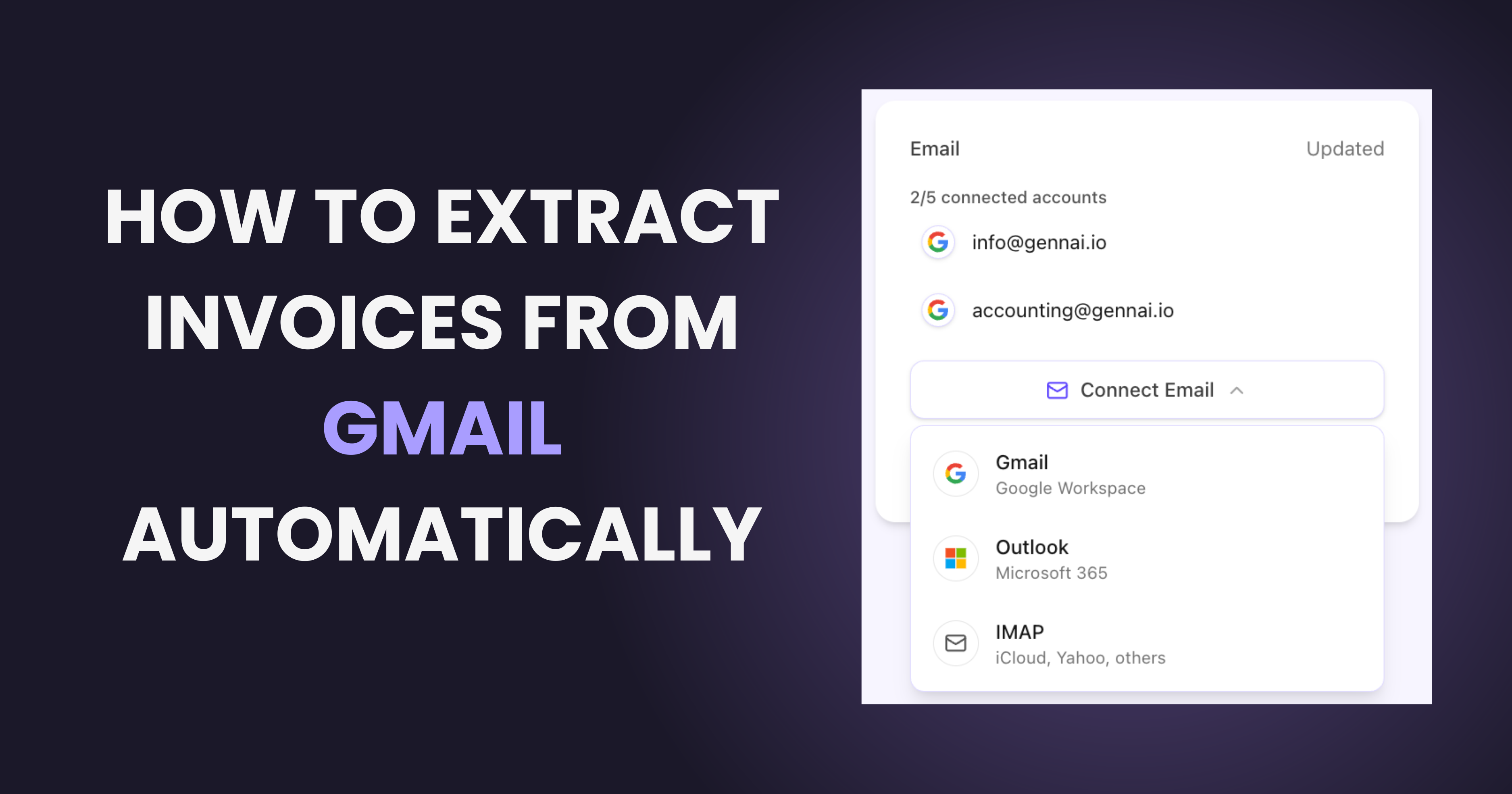
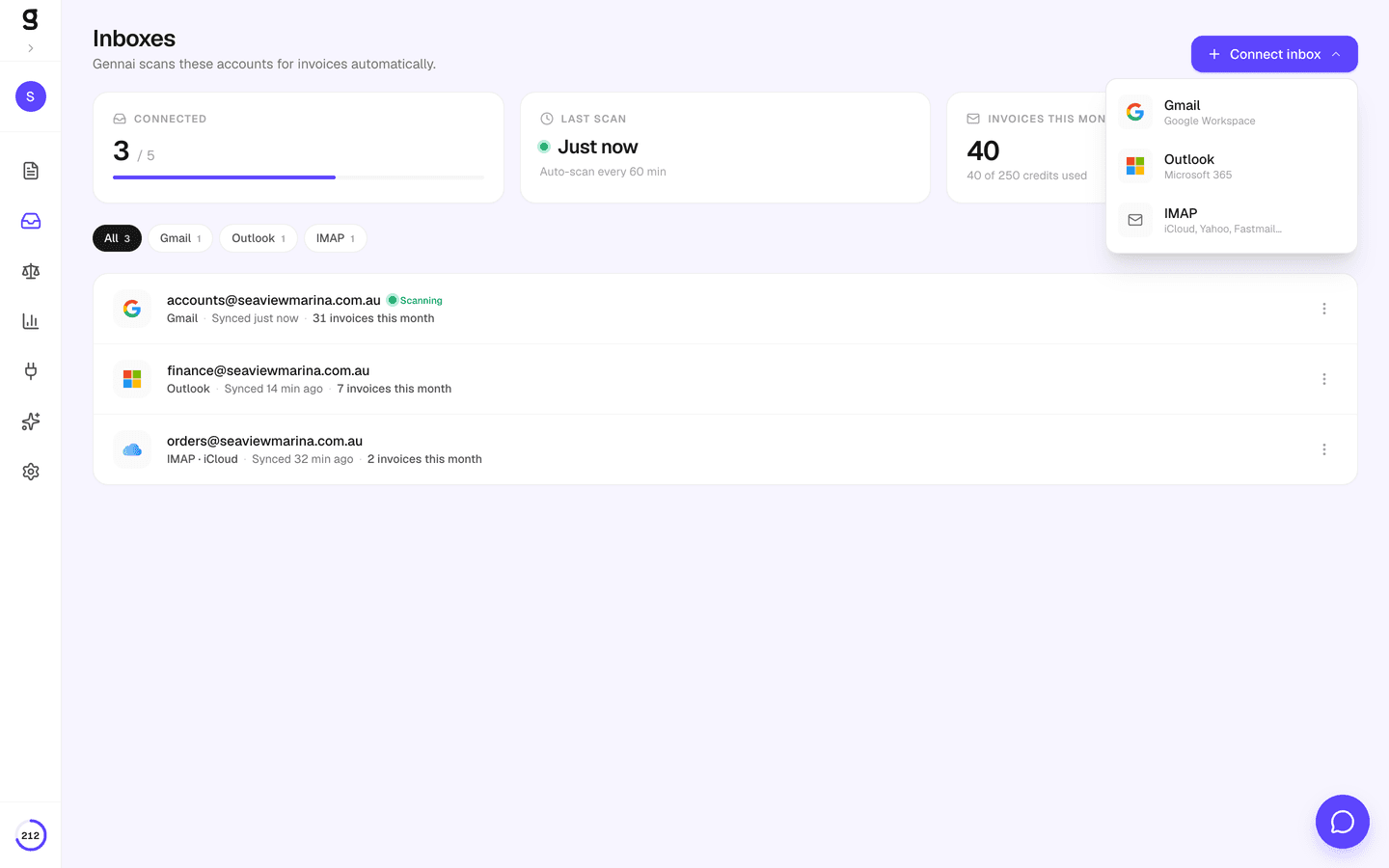
Connect Gmail
Click "Connect Gmail" and authorize with one click. Gennai uses OAuth 2.0 with the gmail.readonly scope — it can only read your emails, never send, delete, or modify them.
- 2Step 2
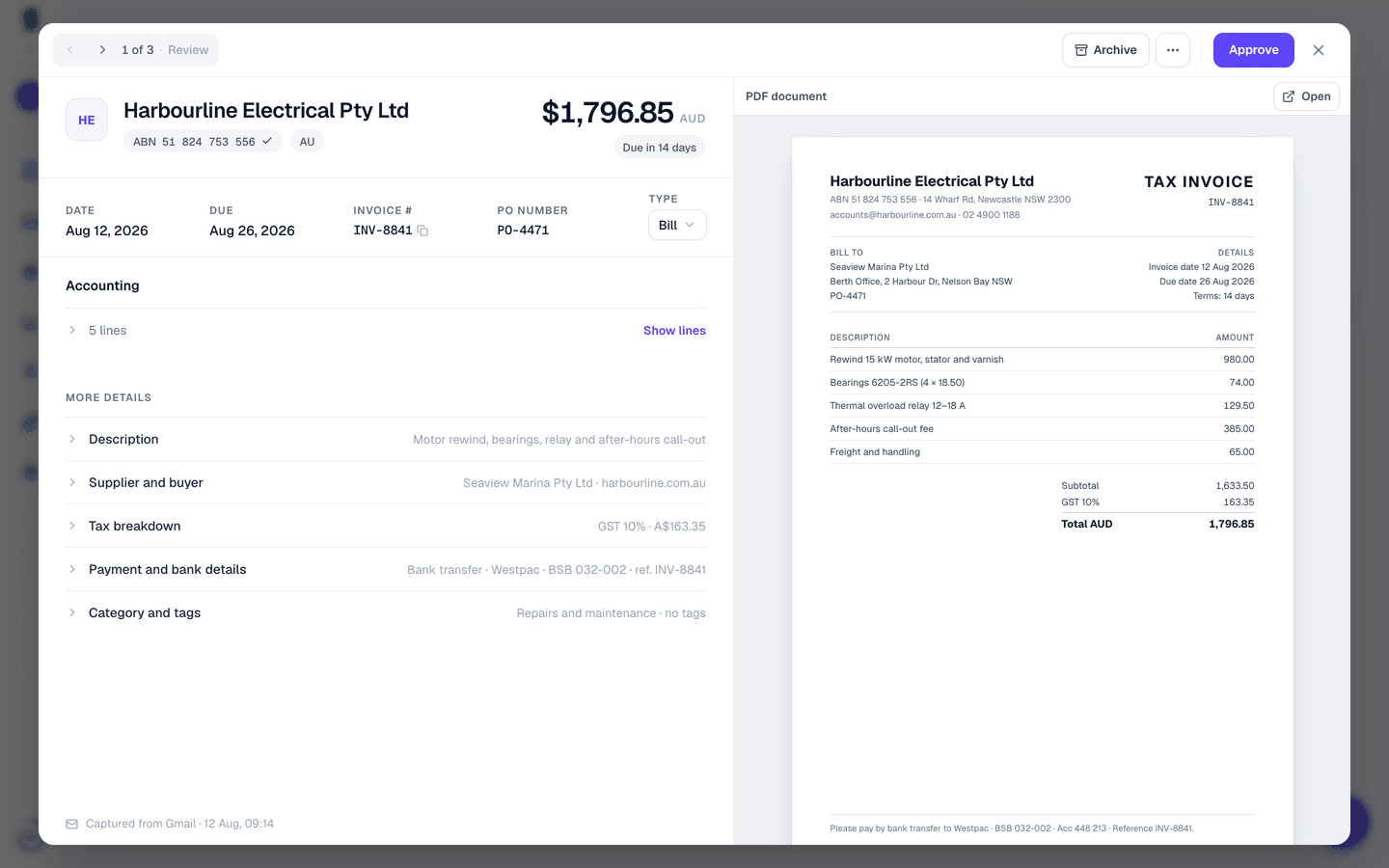
AI Scans Automatically
Gennai scans your inbox every hour for emails with PDF attachments. Advanced AI classifies each PDF and extracts supplier name, amount, currency, date, and invoice number.
- 3Step 3
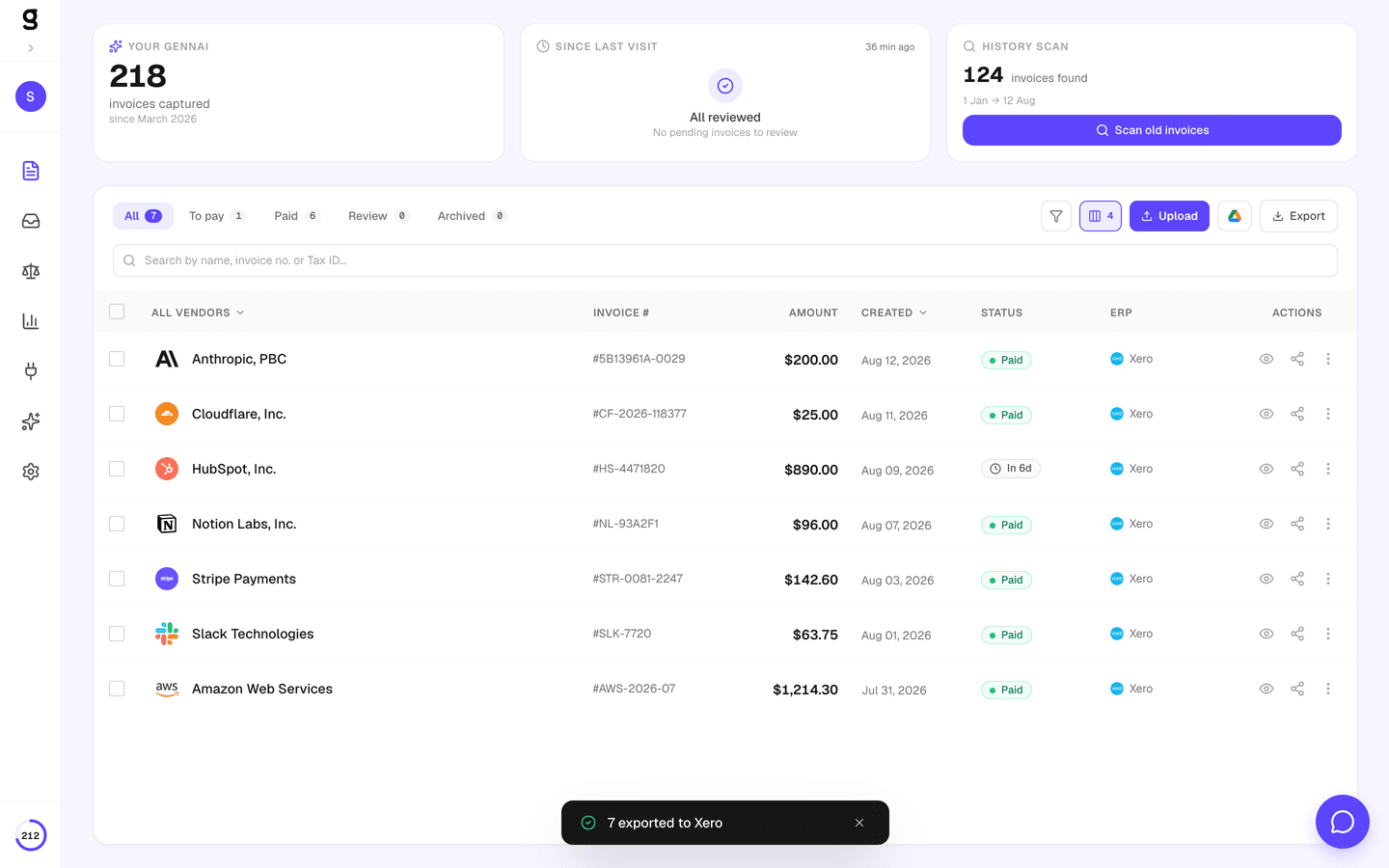
Review & Export
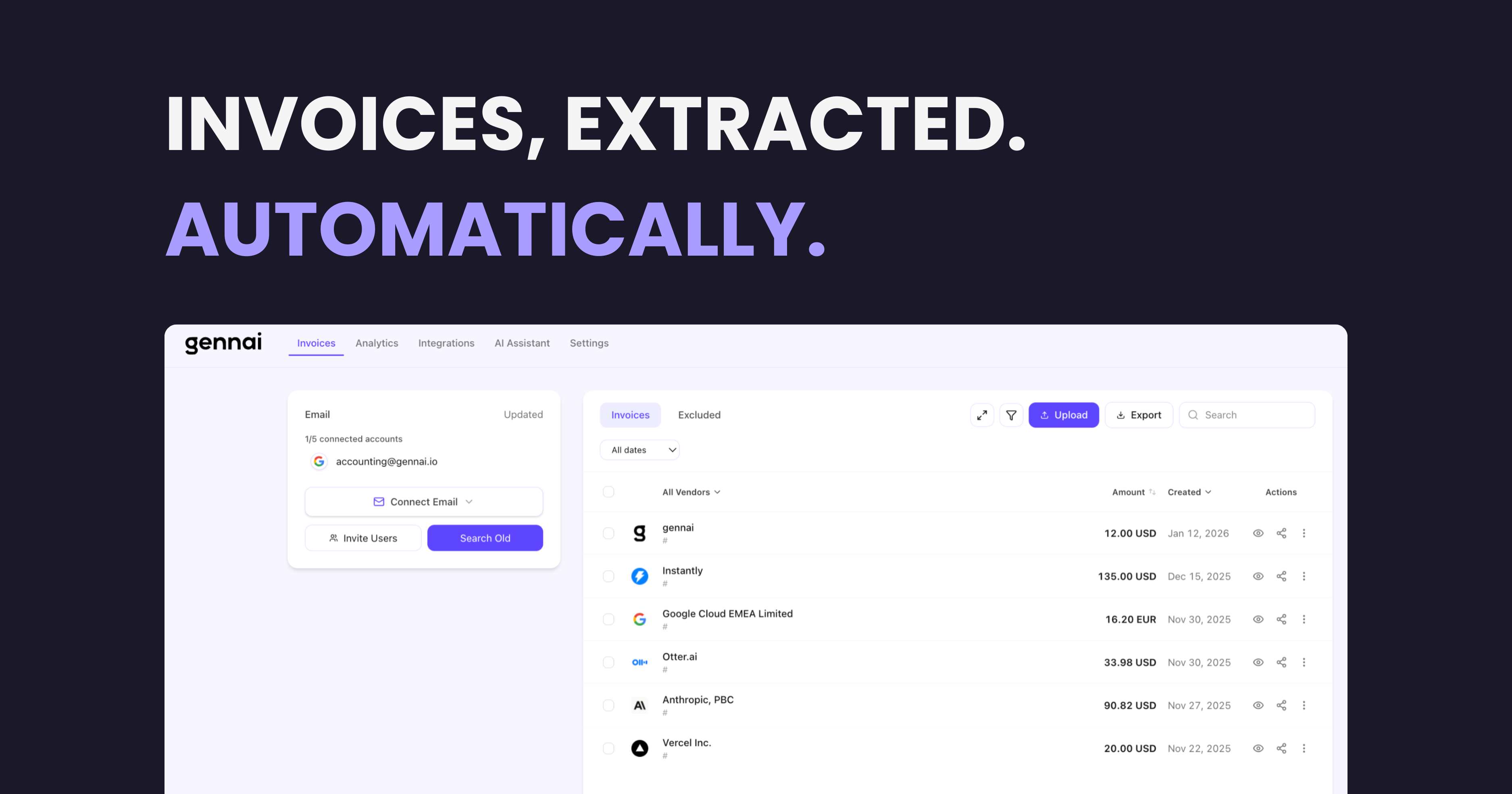
Extracted invoices appear in your dashboard within minutes. Filter by date, supplier, or amount. Export to CSV, sync to Google Drive, or push to Xero and Holded.
What Data Gets Extracted
Advanced AI reads each PDF and pulls out structured data in seconds, regardless of language, format, or layout.
Need custom extraction logic? Use AI Custom Rules to rename suppliers, auto-tag categories, or exclude specific invoice types. Learn more
Enterprise-Grade Security
Your email data is sensitive. Gennai is built from the ground up with security as a first-class concern.
OAuth 2.0 Read-Only
Gennai requests only the gmail.readonly scope. It cannot send, delete, or modify your inbox. Revoke access anytime from your Google Account.
CASA Tier 2 Certified
Verified by Google's Cloud Application Security Assessment. Your data meets the highest third-party app security standards.
AES-256-GCM Encryption
All OAuth tokens encrypted at rest using the same standard used by banks and governments.
3-Level Deduplication
Email message ID, PDF content hash, and business-logic matching ensure zero duplicates.
Auto Token Refresh
Tokens refresh automatically before expiry. Your Gmail connection stays active 24/7.
Hourly Automatic Scanning
New invoices detected every hour automatically. No manual syncs needed — invoices appear as they arrive in your inbox.
Where Your Gmail Invoices Go Next
Gennai automatically routes your extracted invoices to your accounting software, cloud storage, and spreadsheets — no manual exports, no copy-paste.
GmailYour inbox
 Google Drive
 Xero
Xero Holded
 Google Sheets
 QuickBooks
Works with Personal Gmail and Google Workspace
Whether you use a free @gmail.com account or a company Google Workspace domain, Gennai connects the same way.
Personal Gmail
- Free @gmail.com accounts
- One-click OAuth connection
- Optional Google Drive sync
- Perfect for freelancers and solopreneurs
Google Workspace
- Custom domain email accounts
- Multiple team members can connect
- Automatic Google Drive sync
- Invite external accountants with limited access
Frequently Asked Questions
Is Gennai read-only? Does it modify my emails?
Yes, Gennai is strictly read-only. We request only the gmail.readonly OAuth scope, which means Gennai can read email content and download attachments, but cannot send, delete, modify, or move any emails. Your inbox remains completely untouched.
How often does Gennai scan my Gmail?
Gennai scans connected Gmail accounts automatically every hour. Each scan looks for new emails with PDF attachments that arrived since the last sync. You don't need to manually trigger scans. Invoices appear in your dashboard as they come in.
Can I scan historical emails from past months?
Yes. The retroactive scan feature lets you select any date range and scan for invoices from that period. This is useful when you first connect your account and want to import past invoices. You select the emails to process and the scan runs in the background.
Does it work with Google Workspace accounts?
Absolutely. Gennai works with both free @gmail.com accounts and Google Workspace (formerly G Suite) accounts on custom domains. The OAuth connection flow is the same. In most Workspace configurations, users can connect individually. If your organization restricts third-party app access, your IT admin can approve Gennai from the Google Admin Console.
What happens with invoices in other languages?
Gennai uses Advanced AI, which supports over 100 languages natively. It can extract data from invoices in Spanish, German, French, Chinese, Arabic, and virtually any language, including mixed-language documents. No configuration needed.
How does deduplication work?
Gennai uses three layers of deduplication. First, it checks the email message ID to avoid processing the same email twice. Second, it generates a content hash from the PDF to catch identical files. Third, it applies business-logic matching (same supplier, same amount, same date) to flag likely duplicates across different email threads.
Can I connect multiple Gmail accounts?
Yes. Depending on your plan, you can connect between 2 and 50 email accounts (Gmail, Outlook, and IMAP combined) to a single organization. All invoices from all accounts appear in one unified dashboard.
How do I revoke Gennai's access to my Gmail?
You can disconnect your Gmail account from the Gennai dashboard at any time. You can also revoke access directly from your Google Account at myaccount.google.com under "Third-party apps with account access". Both methods immediately stop all scanning.