
Auto-Extract Invoices from Email (2026 Guide)
Save 500+ hours/year with automatic invoice extraction from Gmail and Outlook. Step-by-step setup guide with AI tools capturing 99% of invoices.

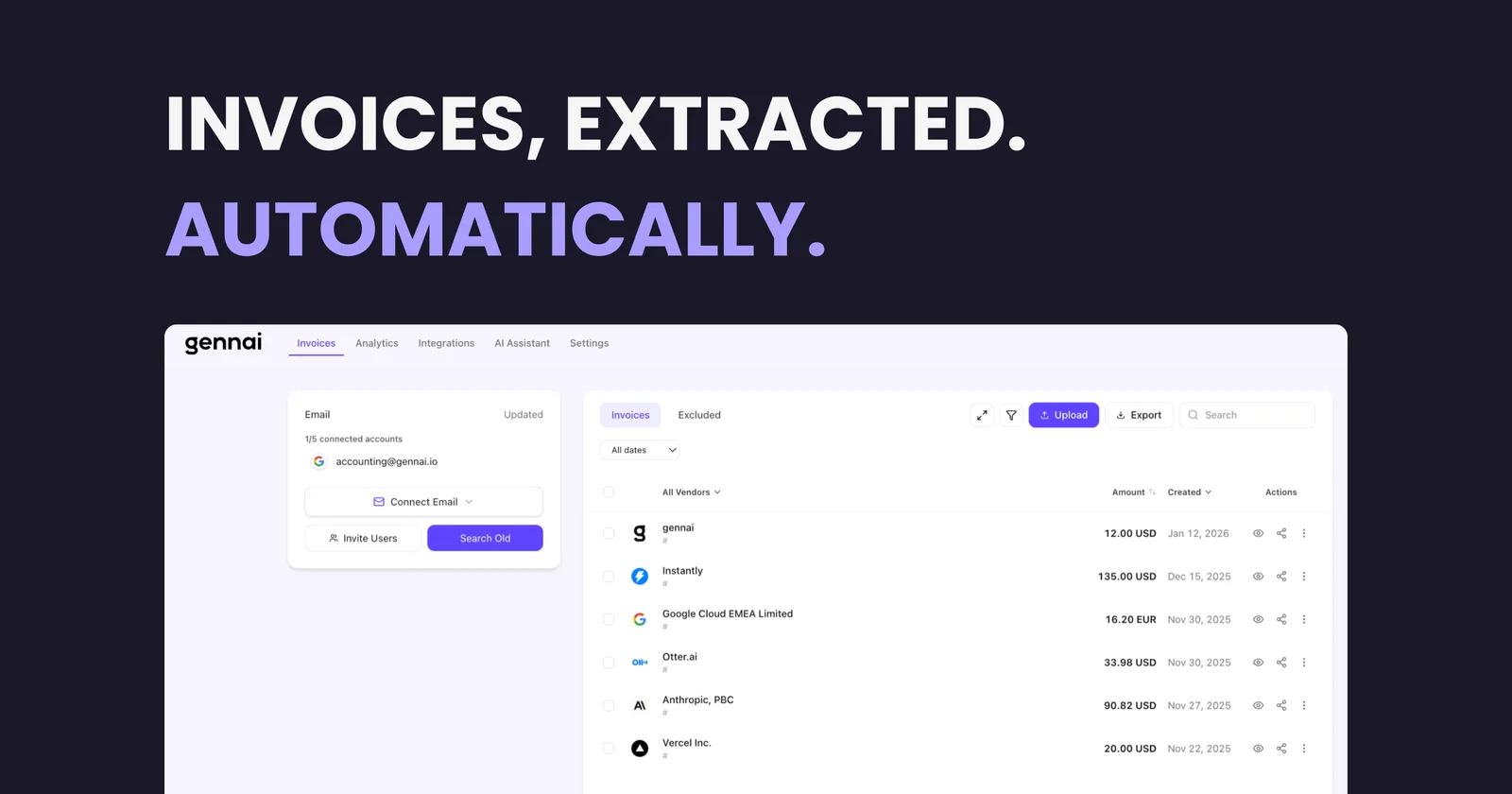
Every business receives invoices by email. And every finance team knows the pain: hunting through inboxes, downloading PDFs one by one, manually entering data into spreadsheets, and inevitably missing something important buried in last month's messages.
The average accounts payable team spends 10+ hours per week just collecting and organizing invoices from email. That's 500+ hours per year, wasted on a task that modern AI can handle in seconds.
This guide will show you exactly how to automatically extract invoices from your email inbox. Whether you use Gmail, Outlook, or any other provider, you'll learn how AI-powered extraction works, which approach fits your needs, and how to set up a system that runs without your constant attention.
For a deeper look at why treating email as the starting point for invoice capture is becoming standard, see our article on why email first invoice capture is the future of business finance.
What Is Email Invoice Extraction?
Email invoice extraction is the process of automatically identifying, capturing, and organizing invoices that arrive in your inbox. Instead of manually searching for invoices, downloading attachments, and typing data into your accounting system, extraction tools do it for you.
Modern extraction goes beyond simple attachment downloads. AI-powered tools can:
- Scan your inbox continuously for new invoices as they arrive
- Detect invoices in any format: PDFs, images, or even embedded in email text
- Extract key data like vendor name, amount, date, and invoice number
- Organize everything in a searchable dashboard
- Export to your accounting software (QuickBooks, Xero, Google Sheets, etc.)
The result? Invoices that used to take hours to process now flow into your system automatically. Accurate, organized, and ready for payment.
Why Manual Invoice Collection Is Costing You More Than You Think
Before diving into solutions, let's quantify the problem. If you're still manually collecting invoices from email, here's what's really happening (for a deeper analysis, see our article on the hidden cost of lost invoices):
| Hidden Cost | Real Impact |
|---|---|
| Time spent searching | 15-30 minutes per day hunting for invoices across folders and threads |
| Missed invoices | Late payment fees, damaged vendor relationships, missed early-pay discounts |
| Data entry errors | Typos that cause payment issues, duplicate payments, accounting headaches |
| No audit trail | When tax time comes, you're scrambling to reconstruct records |
| Opportunity cost | Your team's expertise wasted on tasks a machine should handle |
How AI-Powered Email Invoice Extraction Works
Modern invoice extraction uses multiple AI technologies working together:
1. Email Monitoring
The system connects securely to your email account (Gmail, Outlook, or any IMAP provider) and monitors incoming messages. It doesn't download your entire inbox. Instead, it specifically watches for emails that might contain invoices based on subject lines, sender patterns, and attachment types.
2. Invoice Detection
Not every email with a PDF is an invoice. AI models trained on millions of documents can distinguish invoices from contracts, receipts, statements, and other attachments. They look at document structure, keywords, and visual layout to make this determination with 99%+ accuracy.
3. Data Extraction (OCR + AI)
Once an invoice is identified, the system extracts structured data. Traditional OCR (Optical Character Recognition) reads the text, while AI understands the context. It knows that "Total Due" near "$1,250.00" means that's the amount to pay, not just random numbers on the page.
4. Validation & Organization
Extracted data is validated against common patterns (is this a valid date? Does this invoice number match expected formats?) and organized in your dashboard. You get a clean, searchable database of all your invoices.
5. Export & Integration
Finally, the data flows wherever you need it: exported to CSV, synced to Google Sheets, or pushed directly to QuickBooks, Xero, or your ERP system.
Three Ways to Extract Invoices from Email
Not all solutions are created equal. Here's how the main approaches compare:
Option 1: DIY with Scripts and Zapier
You can build your own workflow using tools like Zapier, Make, or n8n combined with Google Apps Script or Python.
Pros: Fully customizable, no subscription fees (beyond Zapier)
Cons: Requires technical skills, breaks when invoice formats change, no AI (just pattern matching)
Best for: Developers who want maximum control and have time to maintain scripts
Option 2: Email Forwarding Services
Services like Mailparser or Parseur let you forward emails to a special address where they're processed.
Pros: Simple setup, works with any email provider
Cons: Requires manual forwarding or filter setup, doesn't scan past emails, limited AI capabilities
Best for: Low-volume businesses willing to set up email rules. If you want to maximize what filters can do before moving to automation, see our guide on 7 email filters every business needs for invoice management.
Option 3: Direct Email Connection with AI
Purpose-built tools connect directly to your Gmail or Outlook account and handle everything automatically: monitoring, detection, extraction, and export.
Pros: True automation (no manual steps), AI-powered accuracy, retroactive scanning of past emails, handles any invoice format
Cons: Monthly subscription, requires granting inbox access
Best for: Businesses that want hands-off automation and process more than a few invoices per week
Step-by-Step: Setting Up Automatic Invoice Extraction
Here's how to set up email invoice extraction using a direct-connection approach (the most automated option):
Step 1: Choose Your Tool
Select an invoice extraction tool that connects directly to your email provider. Look for: Gmail and Outlook support, AI-powered extraction (not just templates), retroactive scanning for past emails, and export options that match your workflow. For a comprehensive framework on evaluating options, see our complete invoice management software buyer's guide.
Step 2: Connect Your Email Account
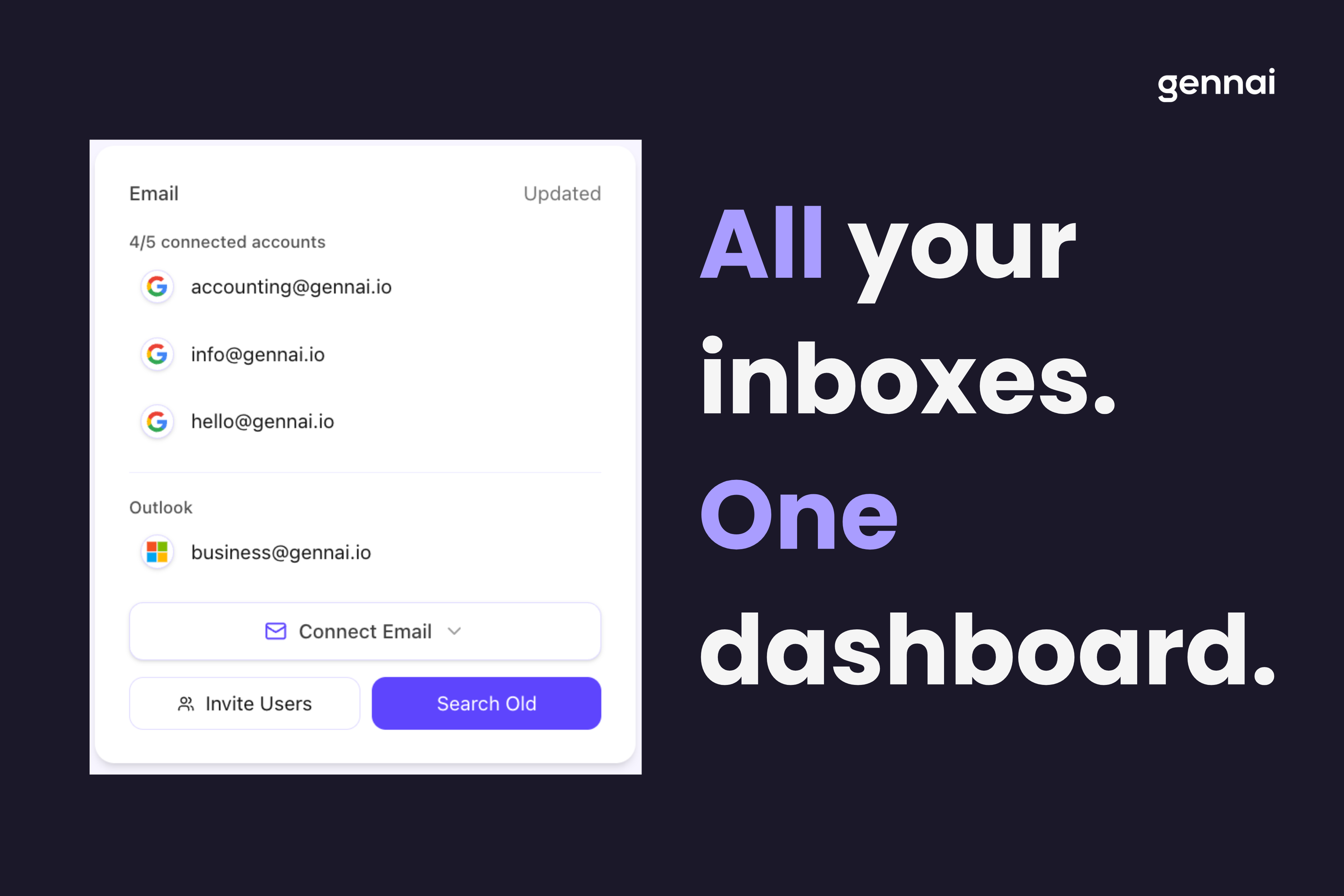
Most tools use OAuth for secure connection. You'll click "Connect Gmail" or "Connect Outlook" and authorize access. The tool doesn't see your password; Google or Microsoft handles authentication directly. Your emails stay in your inbox; the tool just reads them.
Step 3: Run an Initial Scan
Most tools let you scan historical emails: last month, last quarter, or your entire inbox. This is powerful: you instantly capture all the invoices you've received, creating a complete financial record without any manual work.
Step 4: Review and Verify
Check the first batch of extracted invoices. Modern AI is highly accurate, but it's worth reviewing a few to ensure the data looks right, especially vendor names and amounts. Most tools let you correct any errors, and the AI learns from these corrections.
Step 5: Configure Exports
Set up where you want extracted data to go. Common options include: CSV downloads for manual import, Google Sheets for collaborative tracking, or direct sync to QuickBooks, Xero, or other accounting software.
Step 6: Enable Ongoing Monitoring
Turn on automatic monitoring. The system will continuously watch for new invoices (typically checking every hour) and process them without any action from you. New invoices appear in your dashboard automatically.
Gmail vs Outlook: What's Different?
Both major email providers work well with invoice extraction, but there are nuances. For a detailed breakdown, see our complete Gmail vs Outlook comparison for invoice management.
| Feature | Gmail | Outlook/Microsoft 365 |
|---|---|---|
| Connection Method | OAuth 2.0 via Google | OAuth 2.0 via Microsoft |
| Setup Time | ~2 minutes | ~2 minutes |
| Workspace Support | Google Workspace (business) | Microsoft 365 (business) |
| Shared Mailboxes | Supported via delegation | Supported natively |
| API Rate Limits | Generous for most uses | Generous for most uses |
If you use another email provider (Yahoo, Zoho, custom IMAP), most extraction tools support those too via standard IMAP connection.
What Data Can You Extract from Email Invoices?
AI-powered extraction captures far more than basic OCR. Here's what modern tools can pull from invoices:
| Data Field | Details |
|---|---|
| Vendor Information | Company name, address, tax ID, contact details |
| Invoice Identifiers | Invoice number, PO number, account number |
| Dates | Invoice date, due date, service period |
| Financial Details | Subtotal, tax amount, total due, currency |
| Line Items | Individual products/services, quantities, unit prices |
| Payment Terms | Net 30, early payment discounts, payment methods accepted |
| Banking Information | Bank account, routing number (for payment) |
Security and Privacy Considerations
Granting an app access to your email requires trust. Here's what to look for:
OAuth-only authentication: The tool should never ask for your email password. OAuth means you authenticate directly with Google or Microsoft, and the tool only receives a limited access token.
Minimal permissions: The app should only request read access to emails, not permission to send emails, access contacts, or modify your inbox.
Data encryption: All data in transit and at rest should be encrypted. Look for SOC 2 compliance or similar security certifications.
Your emails stay in place: Good tools scan your inbox but don't move or delete emails. Your messages remain exactly where they are.
GDPR/CCPA compliance: If you operate in Europe or California (or work with clients there), ensure the tool is compliant with relevant privacy regulations.
Common Mistakes to Avoid
When setting up email invoice extraction, watch out for these pitfalls:
1. Choosing a template-based tool: Some older tools require you to set up templates for each vendor. This breaks every time a vendor updates their invoice format. AI-powered tools adapt automatically.
2. Ignoring historical emails: If your tool doesn't offer retroactive scanning, you're missing the chance to build a complete invoice archive instantly. Make sure bulk scanning is available.
3. Skipping the review step: Even with 99% accuracy, review your first few dozen invoices. You might discover vendors who send unusually formatted invoices that need attention.
4. Not connecting multiple accounts: If invoices arrive at different email addresses in your organization, connect them all to get a unified view.
5. Forgetting to set up exports: Extraction is only half the battle. Configure exports to your accounting system from day one, so data flows end-to-end without manual steps.
Measuring Success: What to Track
After implementing email invoice extraction, track these metrics to measure impact:
| Metric | Before Automation | Target After |
|---|---|---|
| Time to process invoices | 10+ hours/week | < 1 hour/week |
| Invoice capture rate | Unknown (some missed) | 100% |
| Data entry errors | 2-5% of invoices | < 0.5% |
| Late payment incidents | Regular | Rare |
| Audit preparation time | Days of scrambling | Minutes (export report) |
Getting Started Today
Email invoice extraction isn't a future technology. It's available now, and it's surprisingly easy to set up. Whether you're processing 20 invoices a month or 2,000, automated extraction will save you time, reduce errors, and give you a clearer picture of your business finances.
The key is choosing the right approach:
- Low volume, technical team? A DIY script might work.
- Simple needs, some manual steps OK? Email forwarding services are a fit.
- Want true hands-off automation? Look for tools with direct Gmail/Outlook integration and AI-powered extraction.
Running an online store? E-commerce businesses face unique invoice challenges with suppliers, marketplaces, and shipping carriers. See our complete guide to e-commerce invoice extraction for industry-specific strategies.
Ready to stop hunting for invoices and let AI handle it? The setup takes minutes, and you'll wonder why you didn't do it sooner.
TL;DR
- Email invoice extraction automatically identifies and captures invoices from your inbox
- Manual processing costs $15-40 per invoice; automation drops it to under $3
- AI-powered tools use OCR + machine learning for 99%+ accuracy
- Three approaches: DIY scripts, email forwarding, or direct email connection (recommended)
- Setup takes minutes: connect email via OAuth, run initial scan, configure exports
- Track these metrics: processing time, capture rate, errors, late payments
- Start today: Choose a tool with Gmail/Outlook integration and AI extraction
Ready to automate your invoices?
Start extracting invoices from your email automatically with Gennai. Free plan available, no credit card required.
Start FreeRelated Articles
Accounts Payable Turnover Ratio Explained
The accounts payable turnover ratio shows how fast you pay suppliers. Get the formula, a worked example, benchmarks and what your number really means.
GuideNet 30 vs Net 60: What Payment Terms Really Mean for Your Cash
Net 30 vs net 60 explained for business owners: what each term means, when the clock really starts, and how the gap hits your cash on both sides.
GuideThe Accounts Payable Process, Step by Step (for Owners)
The accounts payable process has five steps: receive, verify, approve, pay, and record each invoice. Here is how each works and where owners lose money.