 Holded Integration
Email to Holded Automated
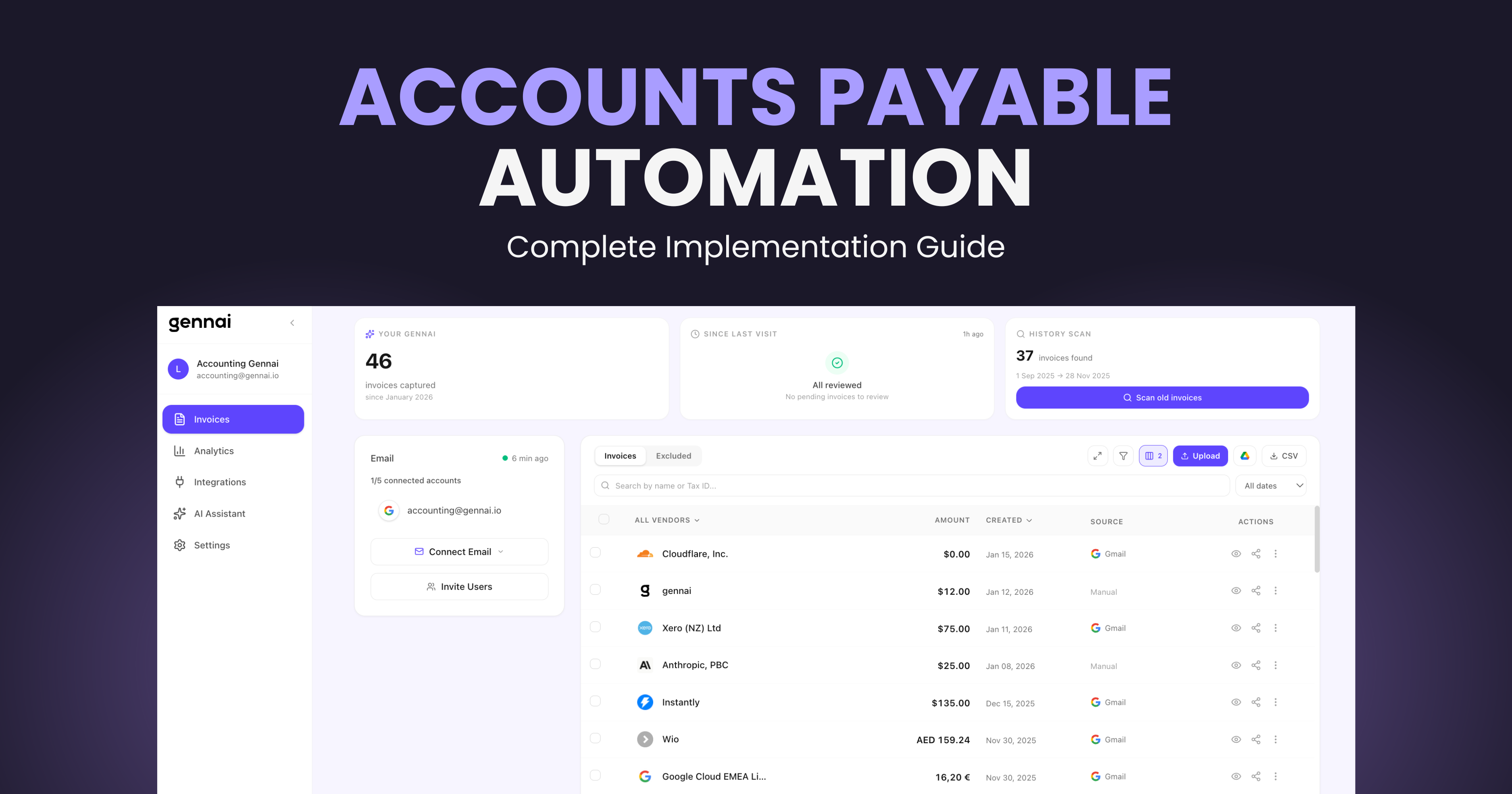
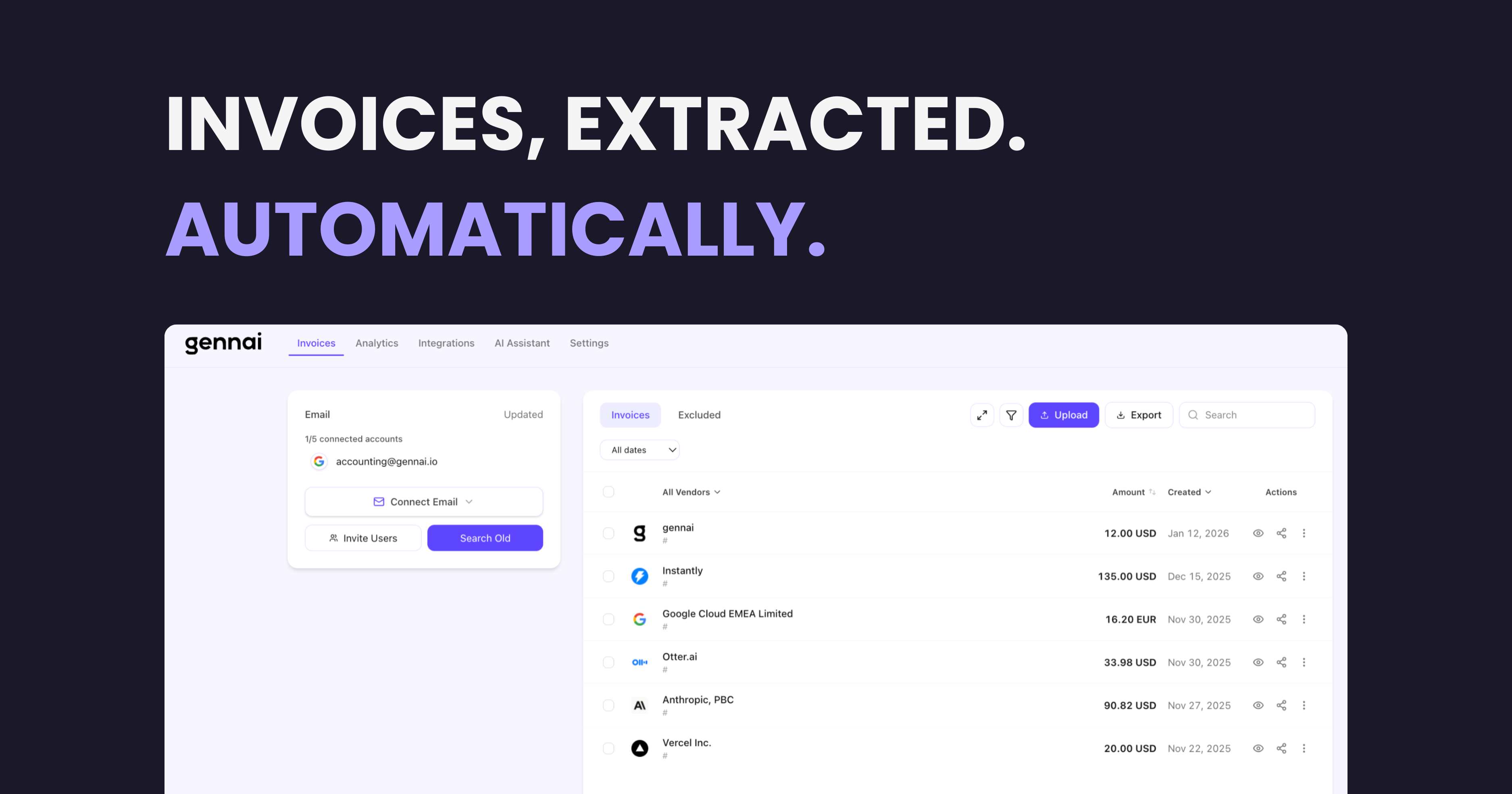
Gennai extracts invoices from your Gmail and Outlook, then exports them as purchase documents to Holded with one click. Contacts, PDF attachments, and IVA handled automatically.
~3s
Per invoice export
99%
Field accuracy
0
Manual data entry
Why Manual Invoice Entry into Holded Fails
Most businesses still download PDFs and type data into Holded by hand. Here’s why that approach breaks down at scale.
$15-40
per invoice processed
The Hidden Cost of Manual Entry
Finance teams spend $15-40 processing each invoice manually: downloading the PDF, opening Holded, creating the contact, entering amounts, and double-checking for errors. At 100 invoices per month, that is up to $4,000 in labor costs alone.
1-4%
error rate
Errors That Cascade
Manual data entry has a 1-4% error rate. A wrong amount or mistyped NIF creates reconciliation headaches, delayed payments, and audit flags. Each error takes 15-30 minutes to investigate and correct in Holded.
15-25h
per month
Time That Could Go to Analysis
Finance teams spend 15-25 hours per month on data entry: downloading PDFs from email, switching to Holded, creating contacts, entering line items. That is time that could go toward cash flow analysis and vendor negotiation.
How It Works
How Gennai Exports Your Invoices to Holded
- 1Step 1
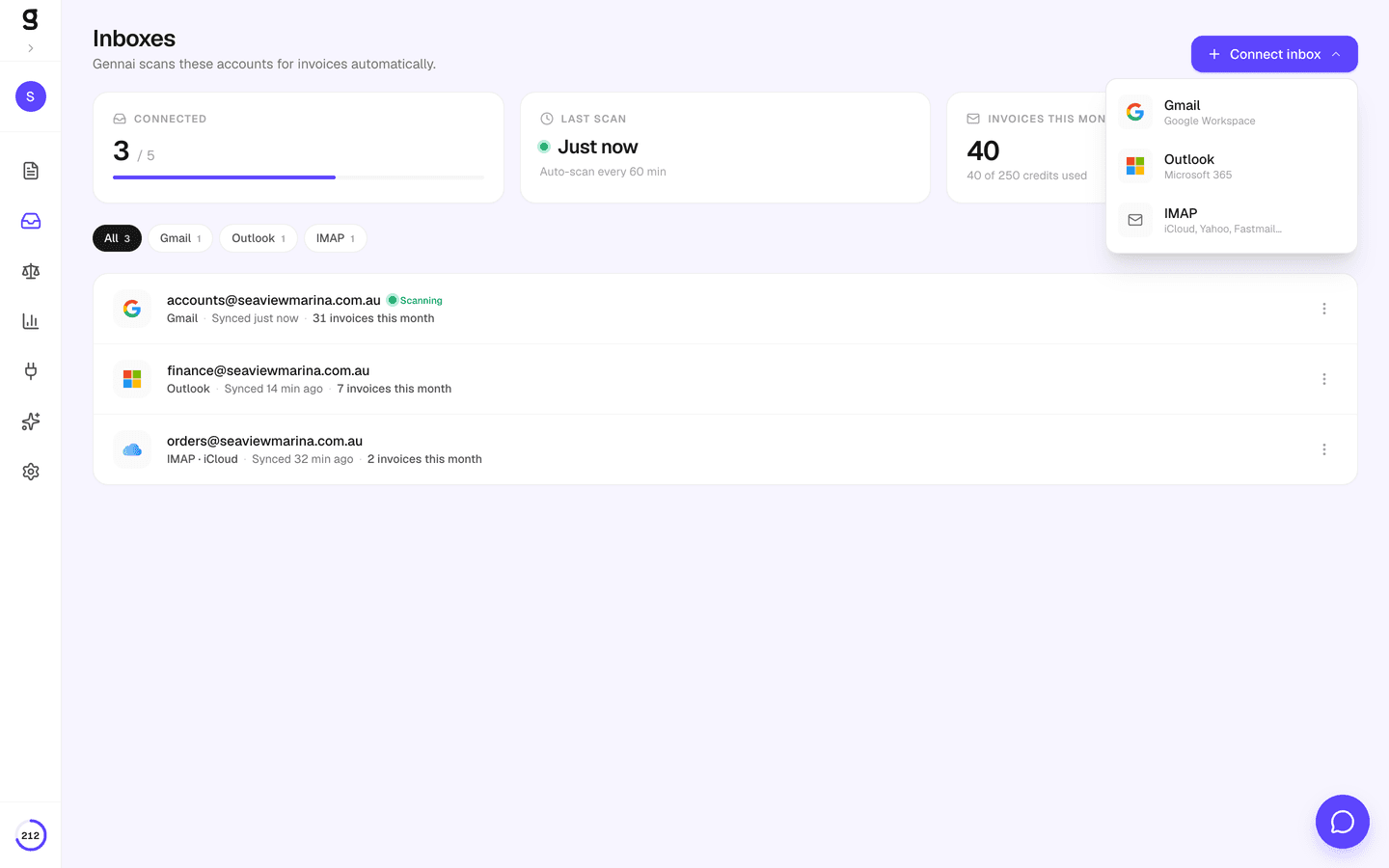
Connect Email + Holded
Connect your Gmail or Outlook account for invoice capture, then add your Holded API key. Gennai encrypts your key with AES-256 and uses only the permissions needed to create purchase documents and attach PDFs.
- 2Step 2
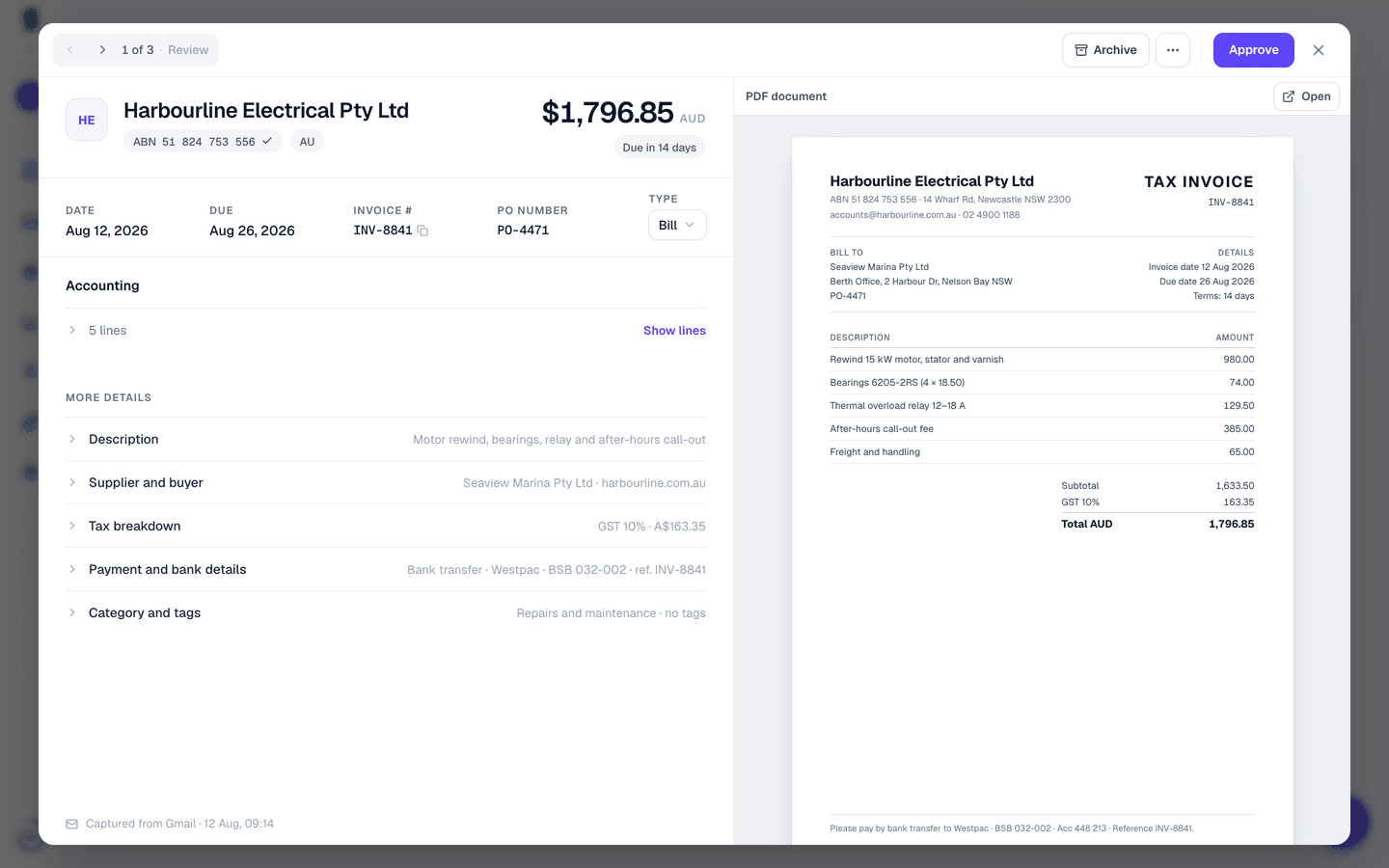
AI Extracts Invoice Data
Gennai scans your inbox automatically for PDF invoices. Advanced AI extracts supplier name, NIF/CIF, amount, currency, date, and invoice number from each PDF, regardless of language or format.
- 3Step 3
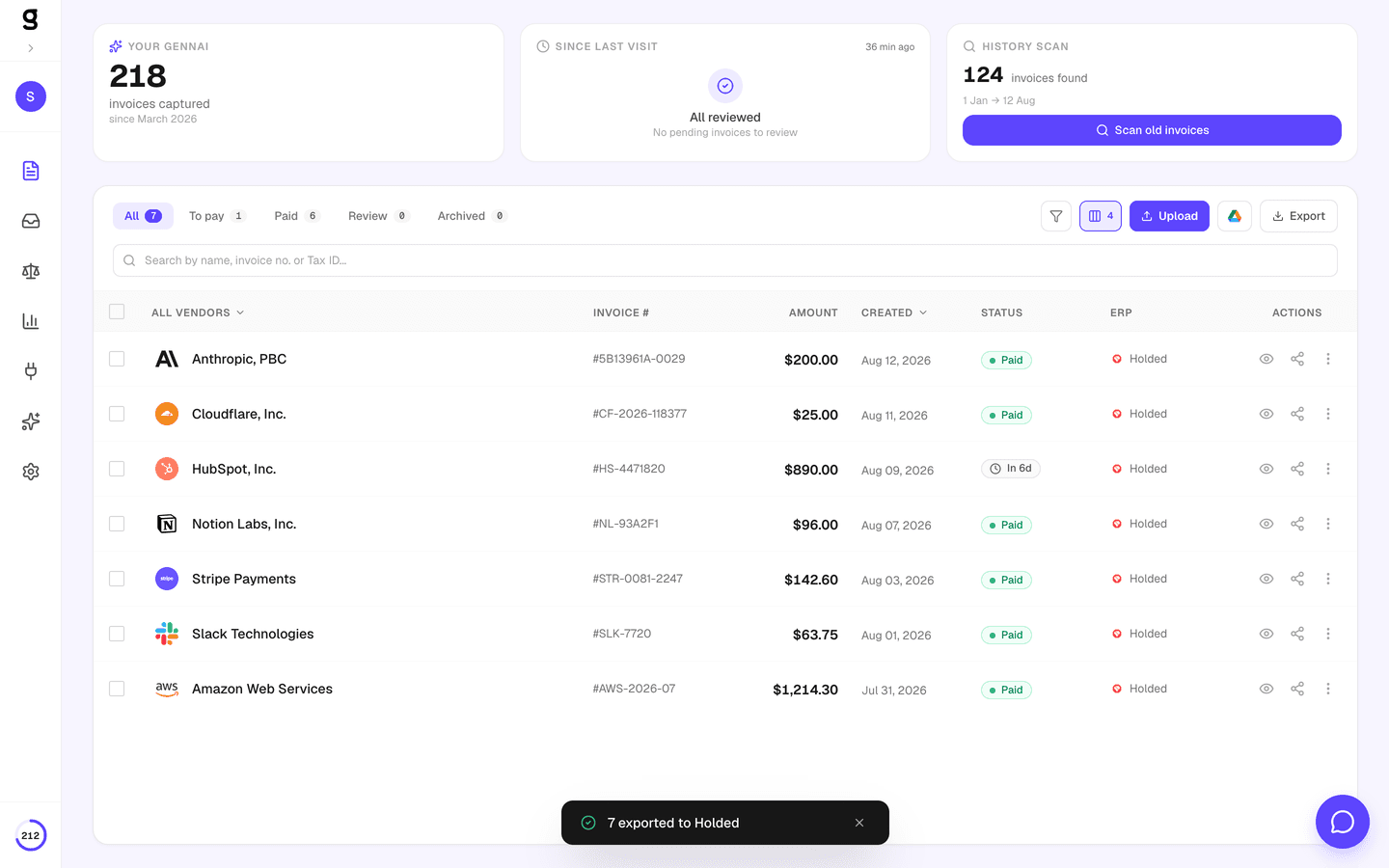
One-Click Export to Holded
Select invoices from your dashboard and export to Holded in one click. Gennai creates purchase documents, matches or creates contacts by name, attaches the original PDF, and tracks progress in real time.
What Gets Exported to Holded
Every invoice Gennai extracts is mapped to the exact Holded purchase document fields. No manual data entry, no copy-paste.
Holded Purchase DocumentGennai also attaches the original PDF to each Holded purchase document, so your team can verify source documents directly from Holded. Learn more
Built for Finance Teams Using Holded
Every feature designed to eliminate manual work and prevent errors in your Holded accounting.
Smart Contact Matching
Gennai searches Holded contacts by name. If no match exists, it creates the contact automatically with the extracted NIF/CIF and details. Contacts are cached during export to minimize API calls.
Automatic Purchase Documents
Each invoice becomes a purchase document in Holded with correct amounts, dates, currency, and document number. Documents are ready for your team to review and approve.
PDF Attachment
The original PDF is attached to each Holded purchase document automatically. Your team can verify source documents directly from Holded without switching tools.
Multi-Currency Support
Invoices are exported in their original currency. Holded supports multi-currency natively, and Gennai maps currency codes automatically for accurate bookkeeping.
Duplicate Prevention
Gennai checks if an invoice was already exported before sending it again. Two-level deduplication ensures no duplicate purchase documents are created in Holded.
Real-Time Progress & Cancel
Track export progress in real time from your dashboard. See how many invoices have been processed, how many succeeded, and cancel at any point if needed. Export up to 500 invoices per batch.
The Complete Pipeline: Email to Holded
Gennai sits between your inbox and your accounting software. Invoices flow automatically from email to Holded with no manual steps.
 GmailYour inbox
 OutlookYour inbox
 HoldedPurchases + Contacts + PDFs
Works with Every Holded Plan
Gennai’s Holded integration works across all Holded plans that include API access. Connect once, export forever.
Holded Plans with API
- Holded Professional
- Holded Premium
- Holded Enterprise
- Any plan with API access enabled
Built for Spanish Market
- Spain and LATAM (primary markets)
- NIF/CIF tax ID extraction
- IVA-ready purchase documents
- 100+ invoice languages supported
Frequently Asked Questions
How does the Holded export work?
Select the invoices you want to export from your Gennai dashboard, click the ERP export button, and choose Holded. Gennai creates a background job that processes each invoice: it finds or creates the contact in Holded, creates a purchase document with the extracted data, and attaches the original PDF. You can track progress in real time and cancel at any point.
What does Gennai need to connect to Holded?
Gennai connects via the Holded API using your API token. In Holded, go to Settings > Developers > Credentials and create an API Token with read and write access. Gennai encrypts your token with AES-256-GCM and uses it only to create purchase documents, manage contacts, and attach files. You can revoke access at any time by removing the token from your Gennai settings.
Can I cancel an export in progress?
Yes. Every export shows a real-time progress bar with a cancel button. When you cancel, Gennai stops processing new invoices immediately. Invoices already exported to Holded remain there — you can delete them from Holded if needed.
How does Gennai handle IVA and taxes?
Gennai extracts the total amount from each invoice and creates the purchase document in Holded with the correct subtotal. Tax configuration (IVA rate, IRPF, etc.) follows your Holded account defaults. You can adjust tax settings per document in Holded after export.
What happens with duplicate invoices?
Gennai prevents duplicates at two levels. First, it checks its own database to see if an invoice was already exported to Holded. Second, it uses document numbers to identify potential conflicts, avoiding duplicate purchase documents in your accounting.
How does Gennai match contacts in Holded?
Gennai searches for a contact by name. If no match is found, it creates a new contact with the supplier name and NIF/CIF extracted from the invoice. Contact records are cached during batch exports to minimize API calls and speed up processing.
In what status are purchase documents created?
Purchase documents are created as standard Holded purchase invoices ready for review. Your team can verify amounts, contact details, and attached PDFs before confirming them in Holded.
How do I disconnect Holded from Gennai?
You can disconnect Holded from the Integrations tab in your Gennai dashboard at any time. This deletes the stored API key and stops all future exports. Purchase documents already exported to Holded are not affected. You can also regenerate your API key in Holded to revoke access.