 Outlook Integration
Outlook Invoice Scanner Powered by AI
Automatically find every PDF invoice in your Outlook, extract the data with AI, and organize it in one dashboard. No more digging through emails.
< 30s
Setup time
100+
Languages supported
3-layer
Deduplication
Why Manual Outlook Invoice Collection Fails
Most businesses still rely on searching Outlook and copy-pasting into spreadsheets. Here’s why that approach breaks down.
120+
emails per day
Buried in Your Inbox
The average business inbox receives 120+ emails per day. Invoices arrive as attachments mixed with newsletters, receipts, and marketing, making them nearly impossible to find reliably.
15-25h
per month
Hours of Manual Work
Finance teams spend 15-25 hours per month searching for, downloading, and manually entering invoice data. That's time that could go toward analysis and decision-making.
1-4%
error rate
Costly Errors
Manual data entry has a 1-4% error rate. At scale, that means missed payments, duplicate entries, and audit headaches. The cost per invoice processed manually ranges from $15 to $40.
How It Works
How Gennai Scans Your Outlook for Invoices
- 1Step 1
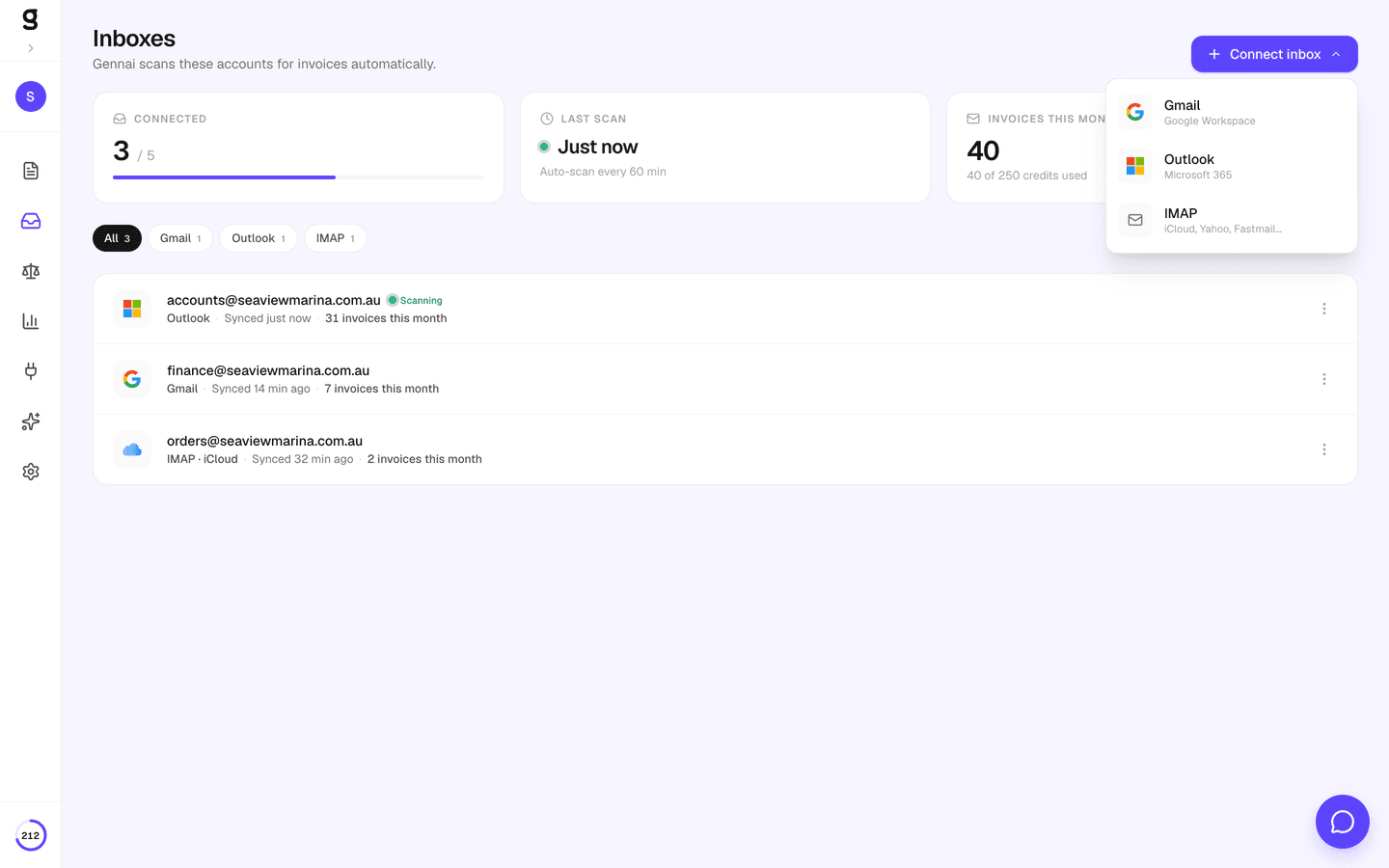
Connect Outlook
Click "Connect Outlook" and authorize with one click. Gennai uses OAuth 2.0 with the Mail.Read scope — it can only read your emails, never send, delete, or modify them.
- 2Step 2
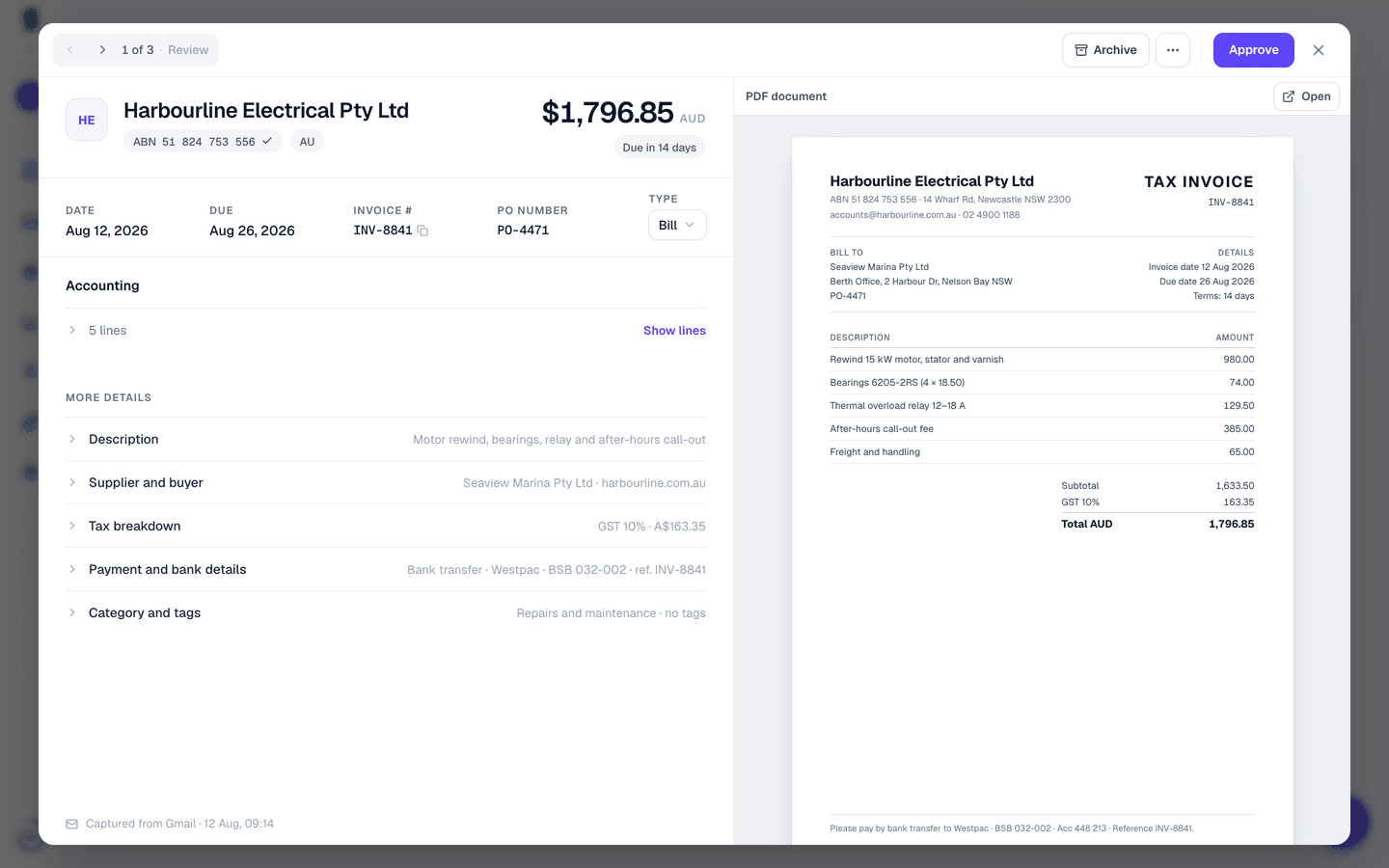
AI Scans Automatically
Gennai scans your inbox every hour for emails with PDF attachments. Advanced AI classifies each PDF and extracts supplier name, amount, currency, date, and invoice number.
- 3Step 3
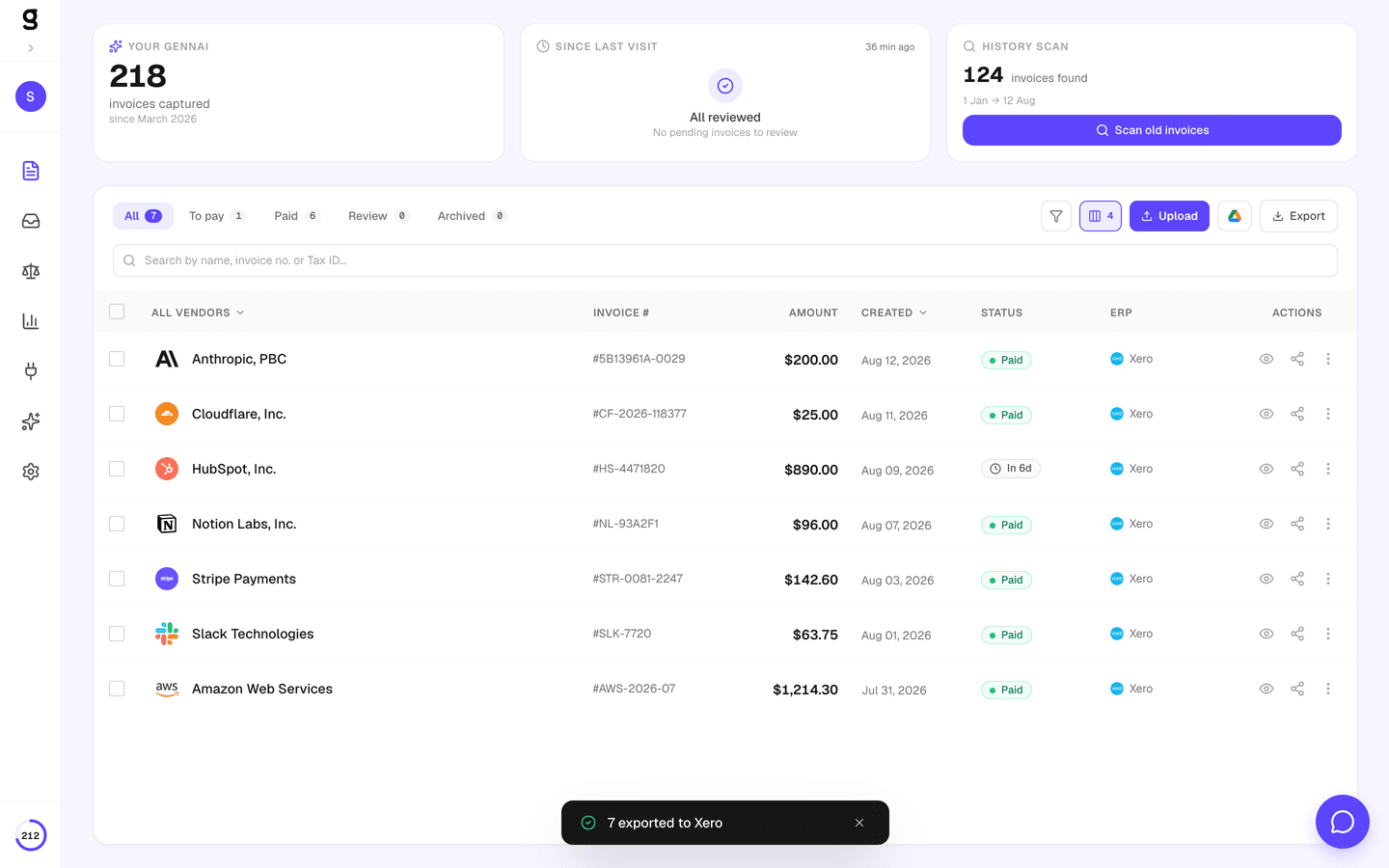
Review & Export
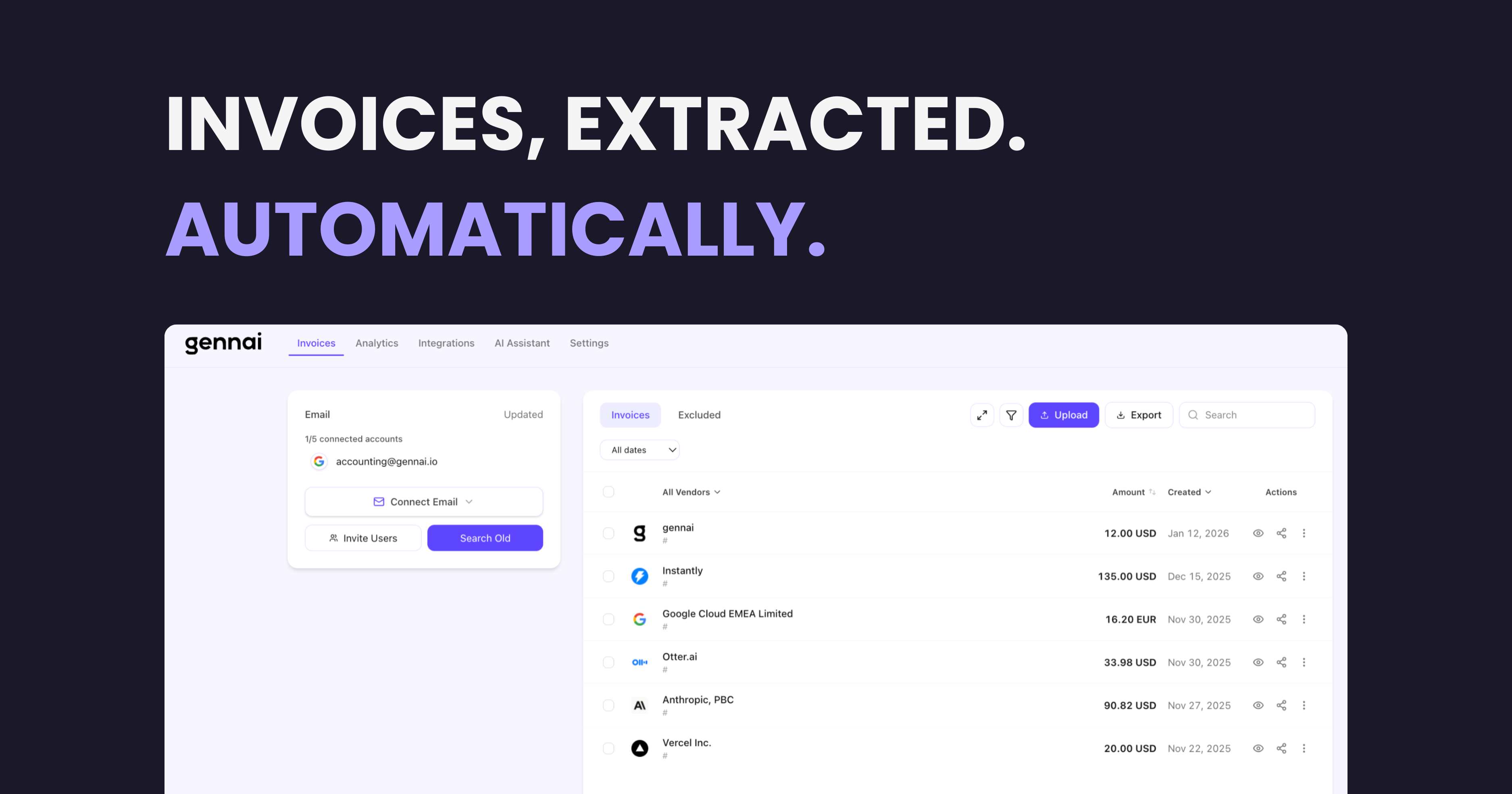
Extracted invoices appear in your dashboard within minutes. Filter by date, supplier, or amount. Export to CSV, sync to Google Drive, or push to Xero and Holded.
What Data Gets Extracted
Advanced AI reads each PDF and pulls out structured data in seconds, regardless of language, format, or layout.
Need custom extraction logic? Use AI Custom Rules to rename suppliers, auto-tag categories, or exclude specific invoice types. Learn more
Enterprise-Grade Security
Your email data is sensitive. Gennai is built from the ground up with security as a first-class concern.
OAuth 2.0 Read-Only
Gennai requests only the Mail.Read scope via Microsoft OAuth. It cannot send, delete, or modify your inbox. Revoke access anytime from your Microsoft Account.
Microsoft Verified Publisher
Gennai is a verified publisher on the Microsoft identity platform. Your admin can trust the app has been verified by Microsoft.
AES-256-GCM Encryption
All OAuth tokens encrypted at rest using the same standard used by banks and governments.
3-Level Deduplication
Email message ID, PDF content hash, and business-logic matching ensure zero duplicates.
Auto Token Refresh
Tokens refresh automatically before expiry. Your Outlook connection stays active 24/7.
Hourly Automatic Scanning
New invoices detected every hour automatically. No manual syncs needed — invoices appear as they arrive in your inbox.
Where Your Outlook Invoices Go Next
Gennai automatically routes your extracted invoices to your accounting software, cloud storage, and spreadsheets — no manual exports, no copy-paste.
OutlookYour inbox
 OneDrive
 Google Drive
 Xero
Xero Holded
 Google Sheets
Works with Personal Outlook and Microsoft 365
Whether you use a free @outlook.com account or a company Microsoft 365 subscription, Gennai connects the same way.
Personal Outlook
- Free @outlook.com and @hotmail.com accounts
- One-click OAuth connection
- Works with any Microsoft account
- Perfect for freelancers and solopreneurs
Microsoft 365
- Exchange Online with custom domains
- Multiple team members can connect
- Shared mailbox support
- Invite external accountants with limited access
Frequently Asked Questions
Is Gennai read-only? Does it modify my emails?
Yes, Gennai is strictly read-only. We request only the Mail.Read OAuth scope, which means Gennai can read email content and download attachments, but cannot send, delete, modify, or move any emails. Your inbox remains completely untouched.
How often does Gennai scan my Outlook?
Gennai scans connected Outlook accounts automatically every hour. Each scan looks for new emails with PDF attachments that arrived since the last sync. You don't need to manually trigger scans. Invoices appear in your dashboard as they come in.
Can I scan historical emails from past months?
Yes. The retroactive scan feature lets you select any date range and scan for invoices from that period. This is useful when you first connect your account and want to import past invoices. You select the emails to process and the scan runs in the background.
Does it work with Microsoft 365 and Exchange Online?
Absolutely. Gennai works with personal @outlook.com/@hotmail.com accounts and Microsoft 365 (Exchange Online) accounts on custom domains. The OAuth connection flow is the same. If your organization restricts third-party app access, your Azure AD admin can approve Gennai from the Azure portal.
Does it support shared mailboxes?
Yes, via a dedicated "Microsoft Shared Account" connection separate from the regular Outlook connection. In your Gennai dashboard, open Integrations and click "Microsoft Shared Account", enter the shared mailbox address (e.g. invoices@company.com), then sign in with your Microsoft 365 account — we'll confirm you have Full Access and start scanning. Your personal inbox is not read when you connect a shared mailbox this way.
What happens with invoices in other languages?
Gennai uses Advanced AI, which supports over 100 languages natively. It can extract data from invoices in Spanish, German, French, Chinese, Arabic, and virtually any language, including mixed-language documents. No configuration needed.
How does deduplication work?
Gennai uses three layers of deduplication. First, it checks the email message ID to avoid processing the same email twice. Second, it generates a content hash from the PDF to catch identical files. Third, it applies business-logic matching (same supplier, same amount, same date) to flag likely duplicates across different email threads.
How do I revoke Gennai's access to my Outlook?
You can disconnect your Outlook account from the Gennai dashboard at any time. You can also revoke access directly from your Microsoft Account at myaccount.microsoft.com under "App permissions". Both methods immediately stop all scanning.