 Xero Integration
Email to Xero Automated
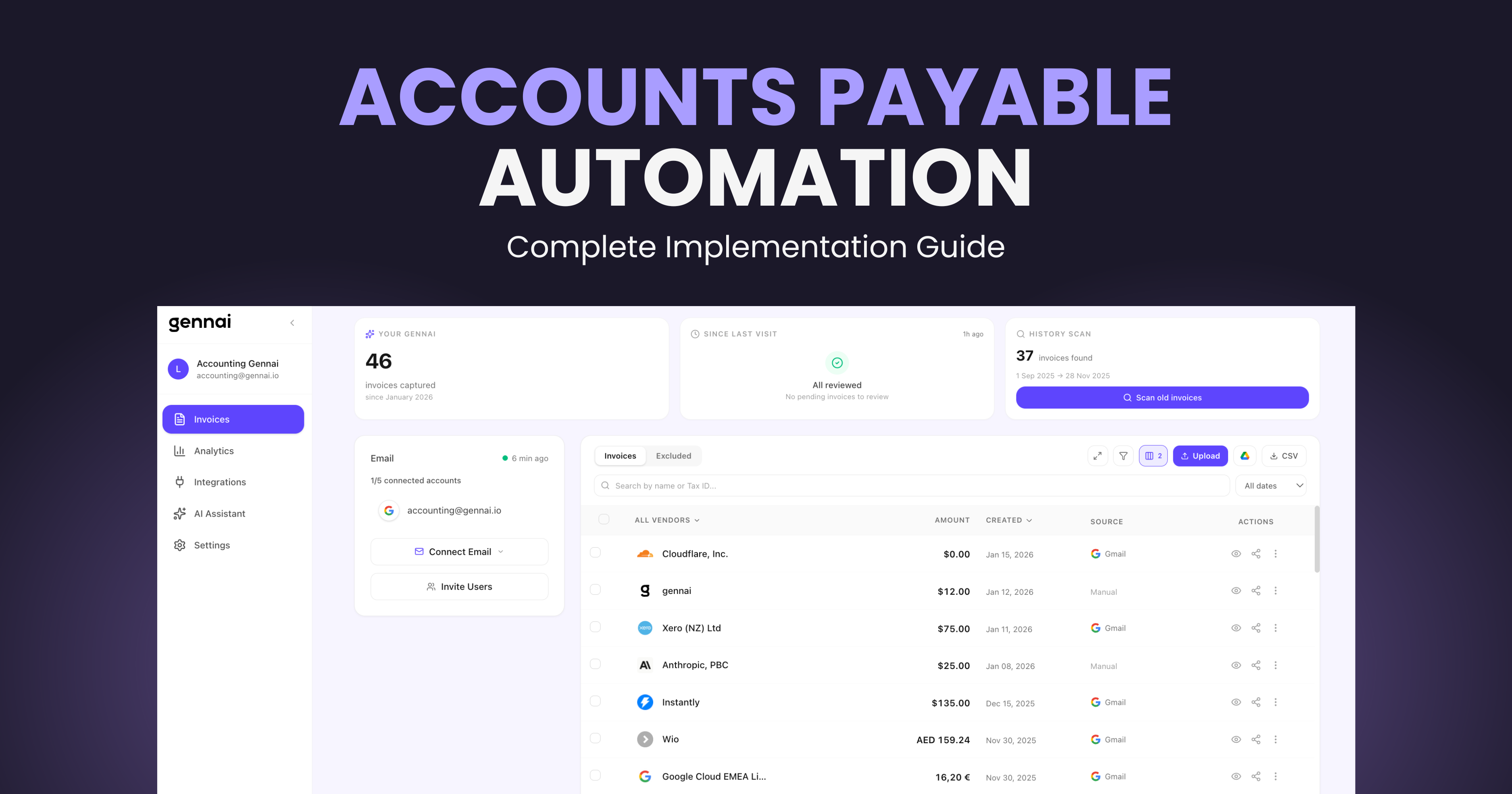
Gennai extracts invoices from your Gmail and Outlook, then exports them as bills to Xero with one click. Supplier contacts, PDF attachments, and multi-currency handled automatically.
~3s
Per invoice export
99%
Field accuracy
0
Manual data entry
Why Manual Invoice Entry into Xero Fails
Most businesses still download PDFs and type data into Xero by hand. Here’s why that approach breaks down at scale.
$15-40
per invoice processed
The Hidden Cost of Manual Entry
Finance teams spend $15-40 processing each invoice manually: downloading the PDF, opening Xero, typing supplier details, entering amounts, and double-checking for typos. At 100 invoices per month, that is up to $4,000 in labor costs alone.
1-4%
error rate
Errors That Cascade
Manual data entry has a 1-4% error rate. A wrong amount or mistyped invoice number creates reconciliation headaches, delayed payments, and audit flags. Each error takes 15-30 minutes to investigate and correct.
15-25h
per month
Time That Could Go to Analysis
Finance teams spend 15-25 hours per month on data entry: downloading PDFs from email, switching to Xero, creating contacts, entering line items. That is time that could go toward cash flow analysis and vendor negotiation.
How It Works
How Gennai Exports Your Invoices to Xero
- 1Step 1
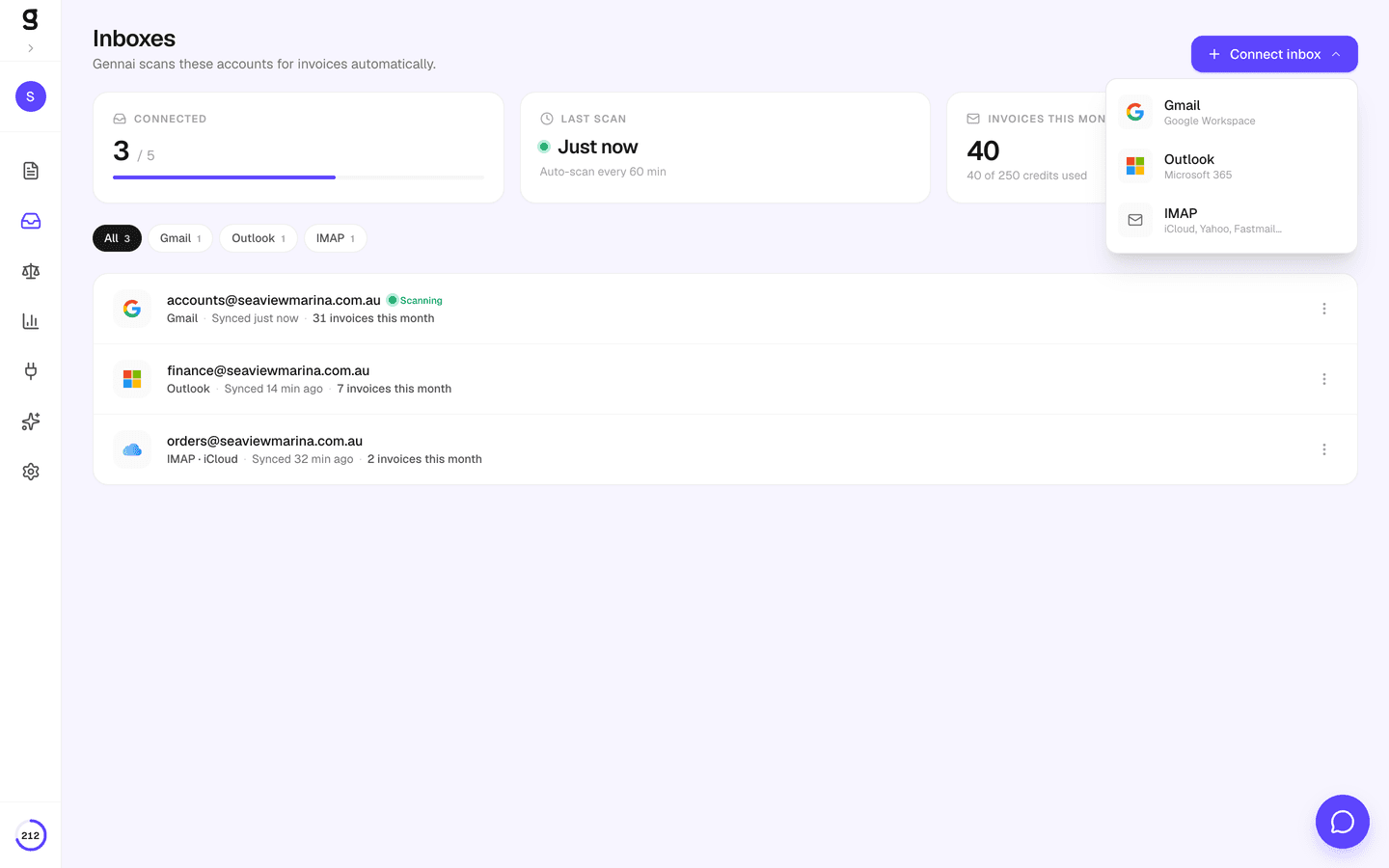
Connect Email + Xero
Connect your Gmail or Outlook account for invoice capture, then authorize Xero with one click. Gennai uses OAuth 2.0 and requests only the scopes needed to create bills and attach PDFs.
- 2Step 2
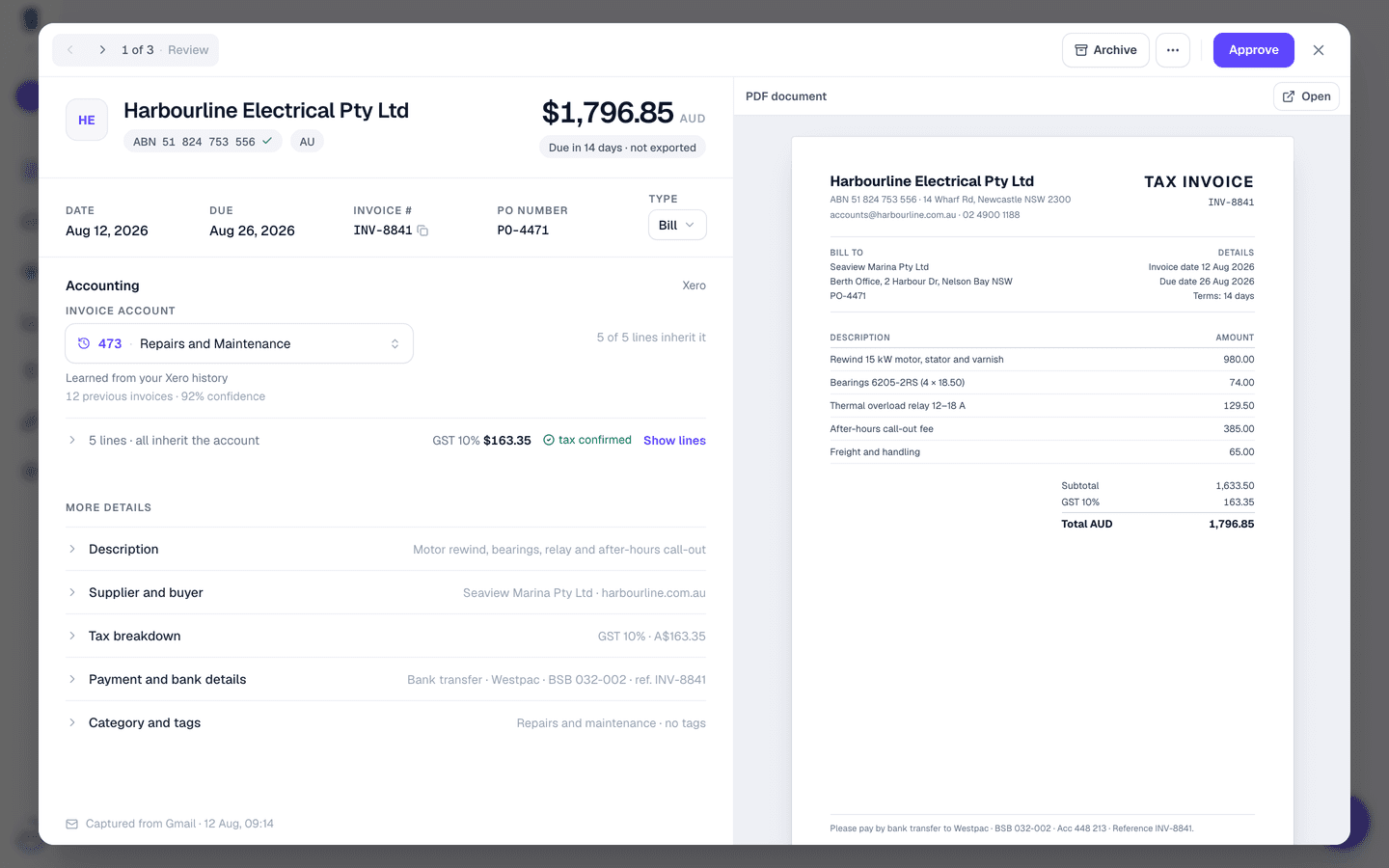
AI Extracts Invoice Data
Gennai scans your inbox automatically for PDF invoices. Advanced AI extracts supplier name, tax ID, amount, currency, date, and invoice number from each PDF, regardless of language or format.
- 3Step 3
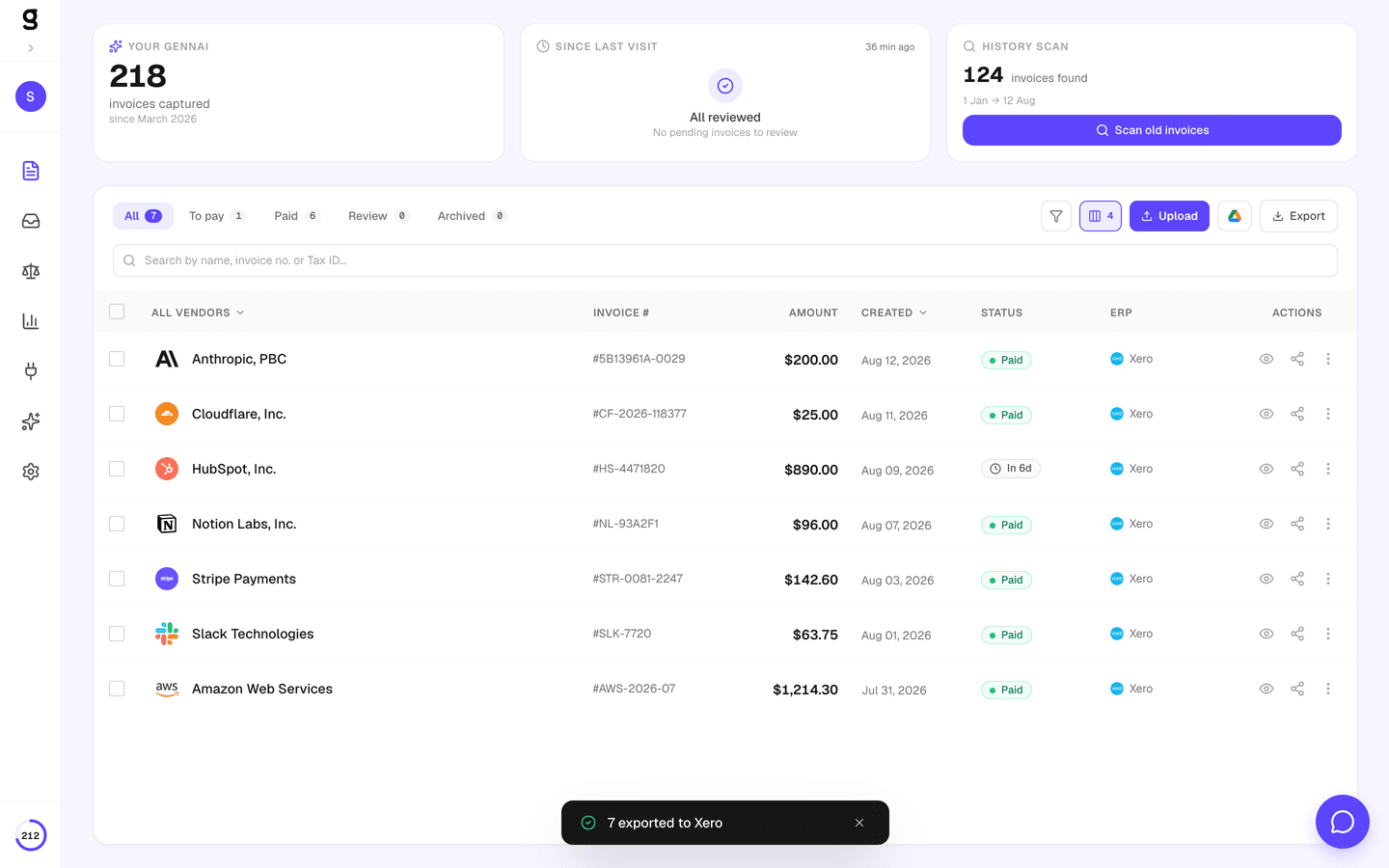
One-Click Export to Xero
Select invoices from your dashboard and export to Xero in one click. Gennai creates ACCPAY bills, matches or creates supplier contacts by tax ID, attaches the original PDF, and tracks progress in real time.
What Gets Exported to Xero
Every invoice Gennai extracts is mapped to the exact Xero bill fields. No manual data entry, no copy-paste.
Xero Bill (ACCPAY)Gennai also attaches the original PDF to each Xero bill, so your team can verify source documents directly from Xero. Learn more
Built for Accounts Payable Teams
Every feature designed to eliminate manual work and prevent errors in your Xero accounting.
Smart Contact Matching
Gennai searches Xero contacts by tax ID first, then by name. If no match exists, it creates the contact automatically with the extracted tax number. Contacts are cached during export to minimize API calls.
Automatic Bill Creation
Each invoice becomes an ACCPAY bill in Xero with correct amounts, dates, currency, and invoice number. Bills are created in DRAFT status so you can review before approval.
PDF Attachment
The original PDF is attached to each Xero bill automatically. Your team can verify source documents directly from Xero without switching tools.
Multi-Currency Support
Invoices are exported in their original currency. If the currency is not enabled in your Xero organization, Gennai falls back to your default currency automatically.
Duplicate Prevention
Gennai checks if an invoice was already exported before sending it again. If Xero rejects a duplicate invoice number, it retries without the number to avoid conflicts.
Real-Time Progress & Cancel
Track export progress in real time from your dashboard. See how many invoices have been processed, how many succeeded, and cancel at any point if needed. Export up to 500 invoices per batch.
The Complete Pipeline: Email to Xero
Gennai sits between your inbox and your accounting software. Invoices flow automatically from email to Xero with no manual steps.
 GmailYour inbox
 OutlookYour inbox
 XeroBills + Contacts + PDFs
Works with Every Xero Plan and Region
Gennai’s Xero integration works across all Xero plans and regions. Connect once, export forever.
All Xero Plans
- Xero Starter (formerly Early)
- Xero Standard (formerly Growing)
- Xero Premium (formerly Established)
- Bills created in DRAFT status for review
Global Coverage
- United Kingdom, Australia, New Zealand
- United States, Canada, South Africa
- Multi-currency with automatic fallback
- 100+ invoice languages supported
Frequently Asked Questions
How does the Xero export work?
Select the invoices you want to export from your Gennai dashboard, click the ERP export button, and choose Xero. Gennai creates a background job that processes each invoice: it finds or creates the supplier contact in Xero, creates an ACCPAY bill with the extracted data, and attaches the original PDF. You can track progress in real time and cancel at any point.
What Xero permissions does Gennai need?
Gennai requests three OAuth scopes: accounting.transactions (to create bills), accounting.contacts (to find or create supplier contacts), and accounting.attachments (to attach the original PDF to each bill). Gennai cannot access your bank feeds, reports, or payroll data.
Can I cancel an export in progress?
Yes. Every export shows a real-time progress bar with a cancel button. When you cancel, Gennai stops processing new invoices immediately. Invoices already exported to Xero remain there — they are created in DRAFT status, so you can delete them from Xero if needed.
How does multi-currency work?
Gennai extracts the currency from each invoice and exports it to Xero in that currency. If your Xero organization does not have that currency enabled, Gennai automatically retries without the currency code, so the bill is created in your Xero default currency instead.
What happens with duplicate invoices?
Gennai prevents duplicates at two levels. First, it checks its own database to see if an invoice was already exported to Xero. Second, if Xero rejects an invoice number because it already exists, Gennai retries the export without the invoice number to avoid conflicts.
How does Gennai match supplier contacts in Xero?
Gennai first searches for a contact by tax ID (TaxNumber in Xero). If no match is found, it searches by supplier name. If neither matches, it creates a new contact with the supplier name and tax ID. This ensures clean, deduplicated contact records in your Xero organization.
In what status are bills created?
All bills are created in DRAFT status. This gives your team the opportunity to review amounts, contacts, and line items before approving them for payment. You can approve bills directly in Xero.
How do I disconnect Xero from Gennai?
You can disconnect Xero from the Integrations tab in your Gennai dashboard at any time. This revokes the OAuth tokens and stops all future exports. Invoices already exported to Xero are not affected. You can also revoke access from your Xero organization settings.