
Invoice Automation Checklist: 52 Steps to Audit
A 52-point invoice automation checklist across capture, extraction, approval, integration, and security. Use it to build a new setup or audit an existing one.

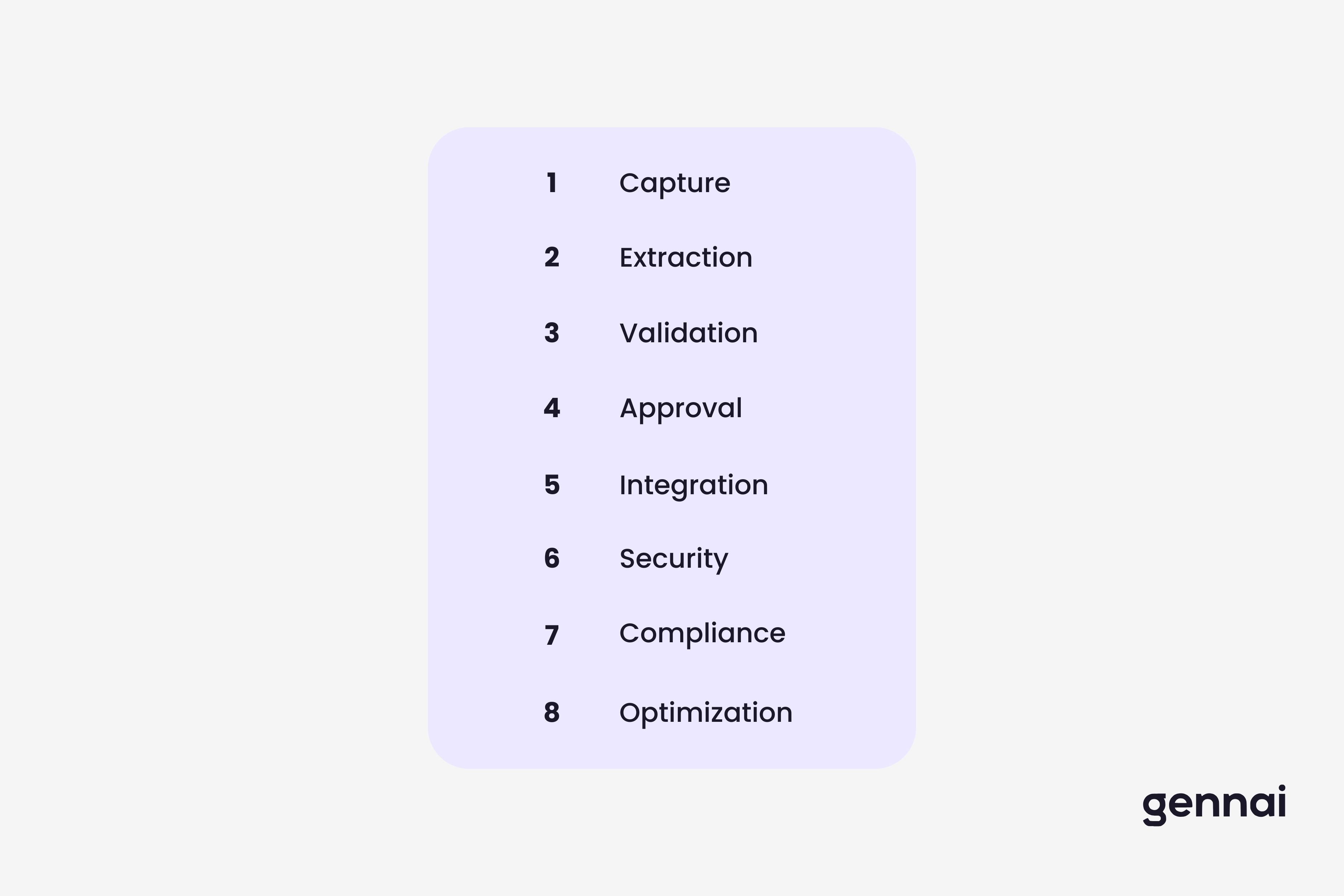
Most invoice automation projects fail not because the tools do not work, but because something in the setup gets skipped. A missed configuration here, an untested edge case there, and suddenly invoices are being processed with wrong amounts, approvals are routing to the wrong people, or data is landing in the wrong account in your accounting system. This checklist covers every layer of invoice automation: from initial setup through extraction accuracy, approval workflows, system integrations, security controls, and ongoing optimization. Use it to build from scratch, audit an existing setup, or hand off configuration work to someone else without losing context. Items are grouped into eight sections with 52 items total.
How to Use This Checklist
Work through each section in order if you are setting up invoice automation for the first time. If you are auditing an existing system, jump to the sections that correspond to your known pain points and check each item against your actual configuration, not against what you think is configured.
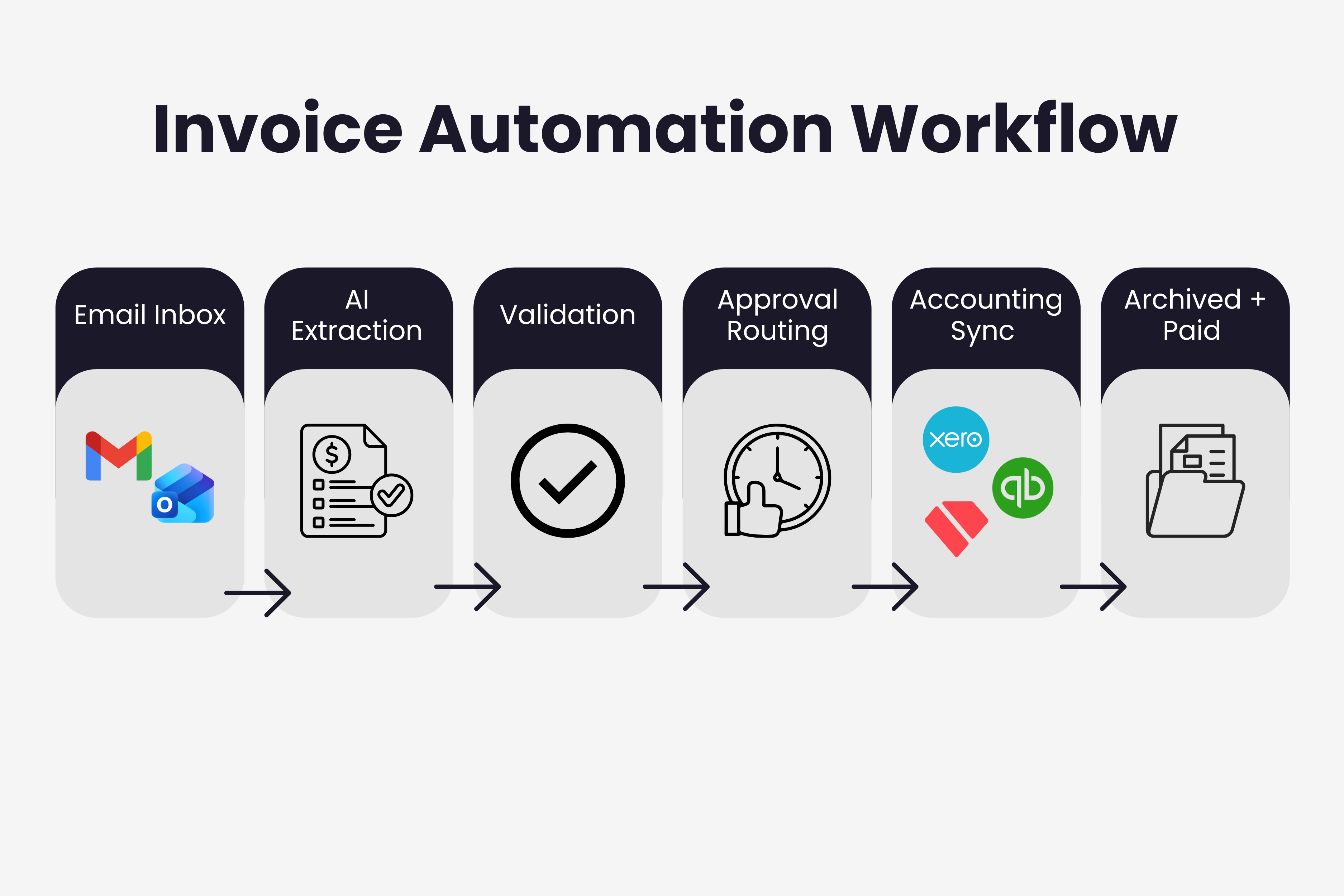
Each item includes a brief explanation of what it does and why it matters. Items marked with a priority note are the ones that most commonly get skipped and cause downstream problems. The checklist covers setups built around Gmail or Outlook with exports to Xero, QuickBooks, or Holded, which describes the majority of small and mid-market implementations, but the principles apply to any modern AP automation stack.
Section A: Invoice Capture
Capture is where the whole chain either starts cleanly or breaks from the beginning. Missed invoices here mean missed payments, damaged vendor relationships, and audit gaps that are painful to reconstruct later.
1. Connect all email accounts If invoices arrive at more than one address (accounting@, info@, personal), connect them all. A single missed inbox is all it takes to miss a vendor's first invoice.
2. Enable retroactive inbox scan Run a historical scan covering at least 12 months. This builds your complete invoice archive and surfaces any recurring vendors whose invoices you may have been processing manually.
3. Whitelist known invoice senders Add frequent vendor email addresses to an explicit include list so they are never filtered out by spam or promotions folders.
4. Configure a dedicated capture address Set up a forwarding rule for vendors that do not send from a consistent address. A dedicated invoices@ address that routes everything to your extraction tool removes ambiguity.
5. Test with atypical formats Send your tool a scanned PDF, a multi-page invoice, an invoice embedded in email body text, and a low-resolution image. Verify each one is detected and queued correctly.
6. Set up monitoring frequency Confirm your tool checks for new invoices at least hourly. Daily scanning creates processing backlogs and delays approval workflows unnecessarily.
7. Handle shared and delegated mailboxes If invoices route through a shared inbox (e.g., finance@company.com) rather than individual accounts, ensure your tool has the correct delegation or service account access.
Section B: Data Extraction
Extraction accuracy determines everything downstream. A wrong amount or misread vendor name creates a chain of errors across approval, payment, and reconciliation. The technical guide to AI invoice processing covers how modern systems achieve 95-99% accuracy and what drives the remaining exceptions.
8. Verify core field extraction Check that vendor name, invoice number, invoice date, due date, subtotal, tax amount, and total are extracted correctly for your five most common vendors.
9. Test line item extraction Confirm line items (description, quantity, unit price, line total) are captured correctly for invoices with more than three line items. Line item extraction fails more often than header fields.
10. Check currency handling If you receive invoices in multiple currencies, confirm each is captured with the correct currency code, not just a number.
11. Validate date format parsing Vendors use different date formats (DD/MM/YYYY, MM-DD-YY, January 15 2026). Verify dates are parsed into a consistent format in your system.
12. Confirm tax field extraction VAT, GST, and sales tax amounts must be extracted separately from the subtotal. Test with invoices that include multiple tax rates on the same document.
13. Review confidence score thresholds Set a minimum confidence threshold below which invoices are flagged for human review rather than processed automatically. A threshold of 85-90% is a common starting point.
14. Enable learning from corrections Every manual correction you make should feed back to the extraction model. Confirm this feedback loop is active, especially for vendors with unusual invoice layouts.
15. Handle multi-page invoices Test extraction on a multi-page invoice where totals appear on the last page. Some tools only process the first page and miss final amounts.
Section C: Validation and Duplicate Detection
Between 0.8% and 2% of invoices get paid twice in businesses relying on manual duplicate checks. At scale, that percentage represents a meaningful amount of money. Validation rules are also where you catch vendor errors before they become your accounting errors.
16. Enable duplicate invoice detection Configure matching on invoice number + vendor + amount. Matching on invoice number alone misses cases where vendors reuse numbers across periods.
17. Set up math validation Automatically verify that line item totals add up to the invoice subtotal and that subtotal + tax = total. Flag mismatches before the invoice enters the approval queue.
18. Configure date logic checks Invoice date should precede the due date. Due date should not be in the past for new invoices. Flag anomalies rather than silently passing them through.
19. Validate against vendor master Cross-reference extracted vendor name and IBAN/bank details against your approved vendor list. Invoices from unknown vendors should pause for review, not auto-approve.
20. Test the exception queue Deliberately submit an invoice with a math error and one with a duplicate number. Confirm both land in the exception queue and generate the correct alert.
21. Set up high-value invoice flags Invoices above a defined threshold (e.g., 3x your average invoice value) should trigger additional review regardless of whether they pass automated validation.
Section D: Approval Workflows
Approval bottlenecks are the most common reason that automated invoice processing still takes 10+ days end to end. The five-step guide to automating invoice processing addresses this directly, but these checklist items cover the configuration details that most teams get wrong.
22. Define approval tiers by amount Common structure: under $500 auto-approve, $500-$5,000 to department manager, over $5,000 to finance lead, over $25,000 to CFO. Adjust thresholds for your business.
23. Add approval by vendor type Trusted recurring vendors (utilities, SaaS subscriptions) can often auto-approve below a threshold. New vendors should always require manual review regardless of amount.
24. Configure escalation rules If an approver does not act within 48 hours, the system should send a reminder. If no action within 72 hours, it should escalate to the approver's backup.
25. Designate backup approvers Every approver needs a named backup. Without this, a single person on vacation can freeze every invoice in the approval queue for a week.
26. Enable mobile approval Approvers who can review and sign off from a phone clear invoices significantly faster than those restricted to desktop. Confirm your tool sends mobile-friendly notifications.
27. Test the full approval chain Submit a test invoice through every approval tier. Confirm each stage notifies the right person, escalations fire correctly, and the final approved status syncs to your accounting system.
28. Document your approval matrix Write down who approves what, at what thresholds, and who the backups are. This document should be updated every time roles change.
Section E: Accounting System Integration
Integration is where manual work finally disappears. When extraction, approval, and accounting sync are all working, invoices flow end to end without anyone touching a keyboard. The complete invoice system integration guide covers the technical patterns; these items cover what to verify in your specific setup.
29. Confirm two-way sync with accounting platform Data should flow from extraction to accounting (creating bills) and back (syncing approval status, payment status, GL codes). One-way integrations create reconciliation gaps.
30. Map GL codes to vendor and invoice type Configure automatic GL code assignment by vendor, expense category, or keyword. Reviewing and coding each invoice manually defeats the automation purpose.
31. Test with your actual accounting software Do not assume a listed integration works perfectly with your version of Xero, QuickBooks, or Holded. Test with real invoices and verify the bill appears with correct fields, not just a successful sync message.
32. Connect file storage (Google Drive) Original invoice PDFs should be stored in an organized, searchable location linked to the extracted data record. An invoice without its original is an audit problem waiting to happen.
33. Set up error notifications for failed syncs Integration failures are often silent. Configure alerts for any invoice that fails to sync so you can investigate before it creates a payment gap.
34. Verify multi-currency handling in accounting If your accounting platform is set to a base currency, confirm that foreign currency invoices are synced with the correct exchange rate and currency code.
35. Test the end-to-end flow monthly Run a test invoice from email receipt through extraction, approval, and accounting sync once a month. Integrations break silently when tools update their APIs.
Section F: Security Controls
Invoice data is financial data. Access controls, encryption, and audit trails are not optional extras for compliance-focused enterprises; they are the baseline for any business handling supplier payment information. The invoice data security guide covers the full compliance picture, including GDPR obligations for teams processing EU supplier invoices.
36. Verify OAuth-only email connection Your extraction tool should never ask for an email password. OAuth means Google or Microsoft handles authentication and you can revoke access instantly.
37. Confirm read-only inbox permissions Check the OAuth consent screen before authorizing. The tool should request read access to emails, not permission to send, delete, or modify messages.
38. Review data storage location Know where extracted invoice data is stored (country, provider). If you have EU operations or EU-based suppliers, confirm GDPR-compliant storage.
39. Enable role-based access control Not everyone on your team needs to see all invoices. Set up roles: data entry, approver, finance manager, read-only. Limit access to the minimum required for each role.
40. Confirm AES-256 encryption at rest and in transit Invoice PDFs and extracted data should be encrypted both when stored and when transmitted between your tool and accounting system.
41. Enable audit logging Every action on an invoice (viewed, edited, approved, exported) should be logged with a timestamp and user identifier. This log is what you need for an audit.
42. Test access revocation Revoke a test account's access and confirm they can no longer view invoices. Do the same for email OAuth: revoke and confirm the tool stops processing.
Section G: Compliance and Retention
Invoice records are legal documents. Retention periods, audit trail requirements, and e-invoicing format obligations vary by country, but the minimum standard for most businesses is 7 years of accessible records with the original document attached.
43. Set document retention periods Configure your storage to retain invoice records for at least 7 years (EU standard). Some jurisdictions require longer; check your local requirements.
44. Ensure original PDFs are preserved Extracted data is searchable; original PDFs are the legal record. Confirm originals are stored and linked, not replaced by extracted data alone.
45. Verify e-invoicing format support If you work with Belgian, Polish, or German suppliers, confirm your tool can receive and process Peppol XML invoices, not just PDF attachments. This requirement expanded significantly in early 2026.
46. Configure tax jurisdiction rules If you operate across multiple countries, set up rules to tag invoices with the correct VAT treatment and jurisdiction for reporting purposes.
47. Document your audit trail Run a test export of the full audit log for one invoice from receipt to payment. Confirm it captures every touch point with timestamps.
Section H: Ongoing Optimization
A configured automation system is not a finished one. Invoice volumes change, vendors update their formats, accounting requirements evolve, and new team members bring different workflows. These items keep the system performing over time. A useful benchmark for overall system health: the 2026 invoice management statistics show best-in-class AP teams processing at $2.78 per invoice with a 3.1-day cycle time. If you are well above those numbers, return to Sections B through D first.
48. Track your cost per invoice monthly Divide total AP labor + tool cost by number of invoices processed. This single metric tells you whether automation is working and where to focus next.
49. Review exception rates weekly If more than 10% of invoices are landing in the exception queue, something upstream is broken: a vendor changed their format, a rule is too strict, or extraction accuracy dropped for a specific sender.
50. Run a quarterly duplicate payment check Even with duplicate detection enabled, run a quarterly manual check across paid invoices. Catch anything the system missed before amounts get larger.
51. Update vendor whitelist and GL mappings quarterly New vendors get added, old ones change their email domain, GL codes get reorganized. A quarterly review prevents silent failures in capture and coding.
52. Benchmark against the AP automation ROI targets Compare your cycle time, cost per invoice, and error rate against the benchmarks annually. The gap between your current numbers and best-in-class is your optimization roadmap.
Quick Reference: All 52 Items by Priority
Not all items carry equal weight. This table groups the 52 items by the impact of getting them wrong. Start with Critical items when auditing an existing setup.
| Priority | Items | What goes wrong if skipped |
|---|---|---|
| Critical | #1, #7, #8, #16, #17, #22, #24, #29, #36, #37, #40, #41 | Missed invoices, duplicate payments, wrong amounts posted, security exposure |
| High | #2, #9, #13, #19, #21, #23, #25, #26, #30, #31, #38, #39, #43, #44 | Gaps in archive, line item errors, approval delays, GL miscoding |
| Standard | #3-#6, #10-#12, #14, #15, #18, #20, #27, #28, #32-#35, #42, #45-#52 | Reduced accuracy over time, compliance gaps, missed optimization opportunities |
Run the Checklist, Then Leave It Running
The businesses with the lowest invoice processing costs are not the ones that did the most implementation work up front. They are the ones that built a systematic habit of checking whether automation is still working the way it was configured. Tools update. Vendors change their invoice formats. People leave and backup approvers become outdated. A checklist that lives in a drawer does nothing.
Set a quarterly reminder to revisit Sections C, D, and H. Those three sections cover the items most likely to drift out of configuration as your business changes. Everything else in this list is primarily a setup task that should stay stable once done correctly. If you are still working out which tools to use before getting to configuration, the invoice management software decision framework is the right starting point. If you want to understand what best-in-class AP teams actually look like once all of this is working, the data is in the invoice management statistics for 2026.
Ready to automate your invoices?
Start extracting invoices from your email automatically with Gennai. Free plan available, no credit card required.
Start FreeRelated Articles
Invoice Automation 2026: Benchmarks, Costs & Trends
The 2026 state of invoice automation: adoption data, cost per invoice benchmarks, e-invoicing mandates, and the trends shaping AP teams this year.
Guide12 Invoice Automation Tools Compared (2026 Guide)
12 invoice automation tools compared for 2026: email capture, AI extraction, and AP suites, with pricing, pros and cons, and the best fit for each.
GuideInvoice Management Statistics 2026: Latest Data & Trends
Manual invoice processing costs $12.88-$19.83 per invoice, 39% contain errors, and 55%+ are paid late. Complete 2026 invoice management statistics with sources.