
AP Automation for Small Teams (Under 10 Employees)
Why small teams benefit most from AP automation, what to look for in a tool, and how to get started without an IT department or implementation project.

Most AP automation content is written for companies with dedicated finance departments, ERP systems, and procurement teams. If you have eight people on your team and the person handling invoices is also handling HR, customer support, and half of operations, that content doesn't apply to you.
But here's the thing: small teams actually benefit more from AP automation than large ones. When you have fewer people, every hour spent on manual invoice processing is an hour pulled directly from revenue-generating work. There's no bench to absorb the load.
48% of small businesses still use paper invoices. 68% manually key invoice data into their systems. And the average manual invoice costs $15 to process. For a small business handling 100 invoices a month, that's $18,000 a year spent on a process that could be almost entirely automated.
Why Small Teams Assume Automation Isn't for Them
Three objections come up consistently when small business owners hear "AP automation."
The first is cost. Enterprise AP platforms charge thousands per month, require annual contracts, and need a dedicated implementation. When you're watching every dollar, that's a non-starter. But the market has shifted. Tools built specifically for small teams now offer free tiers or pay-per-invoice pricing that starts at a few dollars a month. The cost barrier that existed five years ago is largely gone.
The second is complexity. Small teams don't have IT departments. They don't want to spend weeks configuring approval hierarchies and integration mappings. The assumption is that any automation tool will require a project plan, training sessions, and a learning curve that pulls the team away from actual work. Modern tools have simplified this dramatically. If you can connect an email account and click a few settings, you can be running in under an hour.
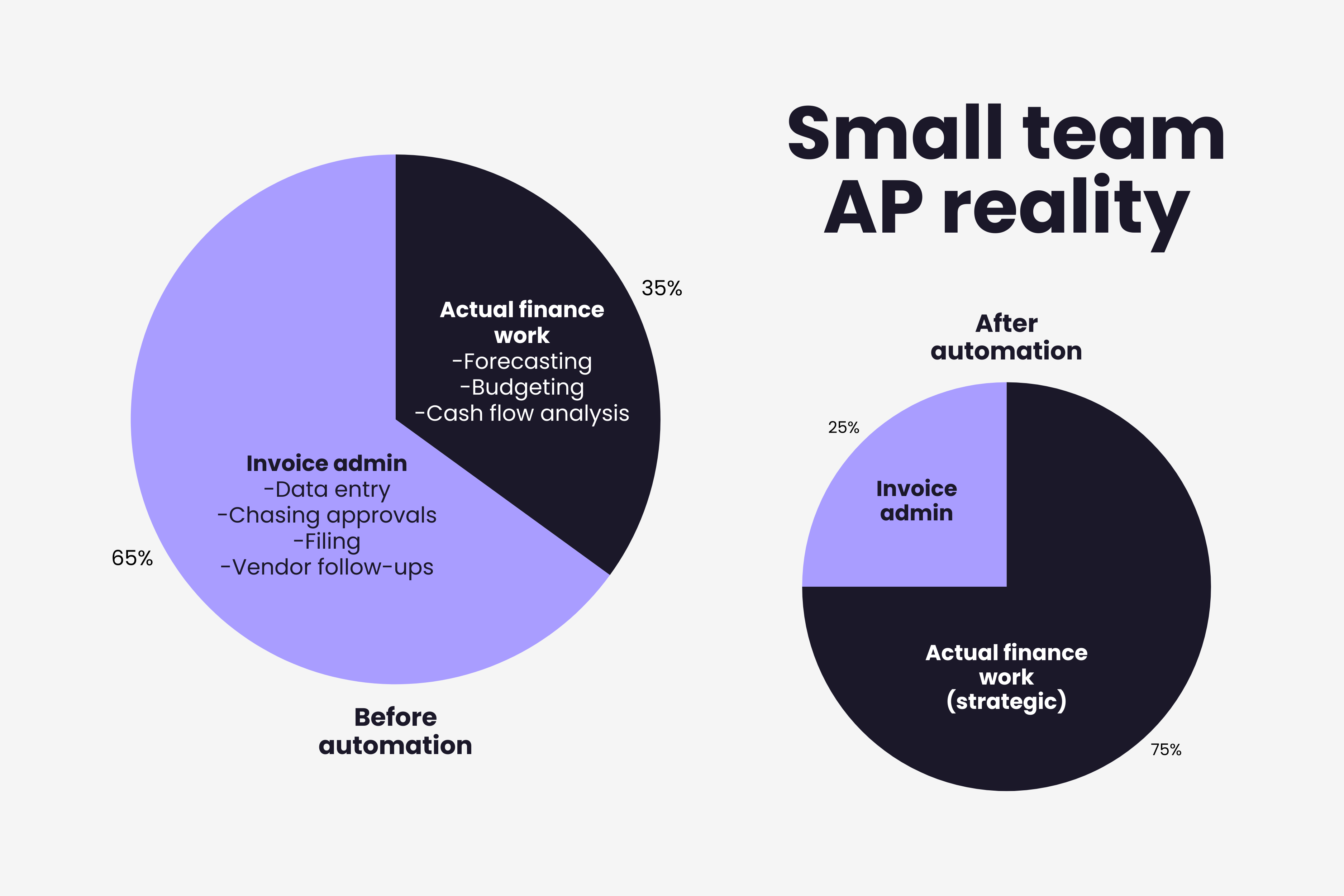
The third is volume. "We only process 80 invoices a month, is it really worth automating?" Yes. Because the issue isn't just the volume. It's the interruption. Every invoice that arrives by email pulls someone out of whatever they were doing. They stop, open the attachment, read it, type the details into the accounting system, figure out who needs to approve it, send an email, wait, follow up. Each invoice is a 10 to 15 minute disruption, and those disruptions fragment the day in ways that are invisible but expensive.
Multiply 80 invoices by 12 minutes of average handling time and you get 16 hours a month, roughly two full working days, spent on pure invoice administration. For a team where everyone is already stretched thin, those are the two days that could make the difference between hitting a quarterly goal and falling short.
What Small Teams Actually Need From AP Automation
Enterprise buyers evaluate AP tools based on ERP integration depth, multi-entity support, and compliance frameworks. Small teams need something different entirely.
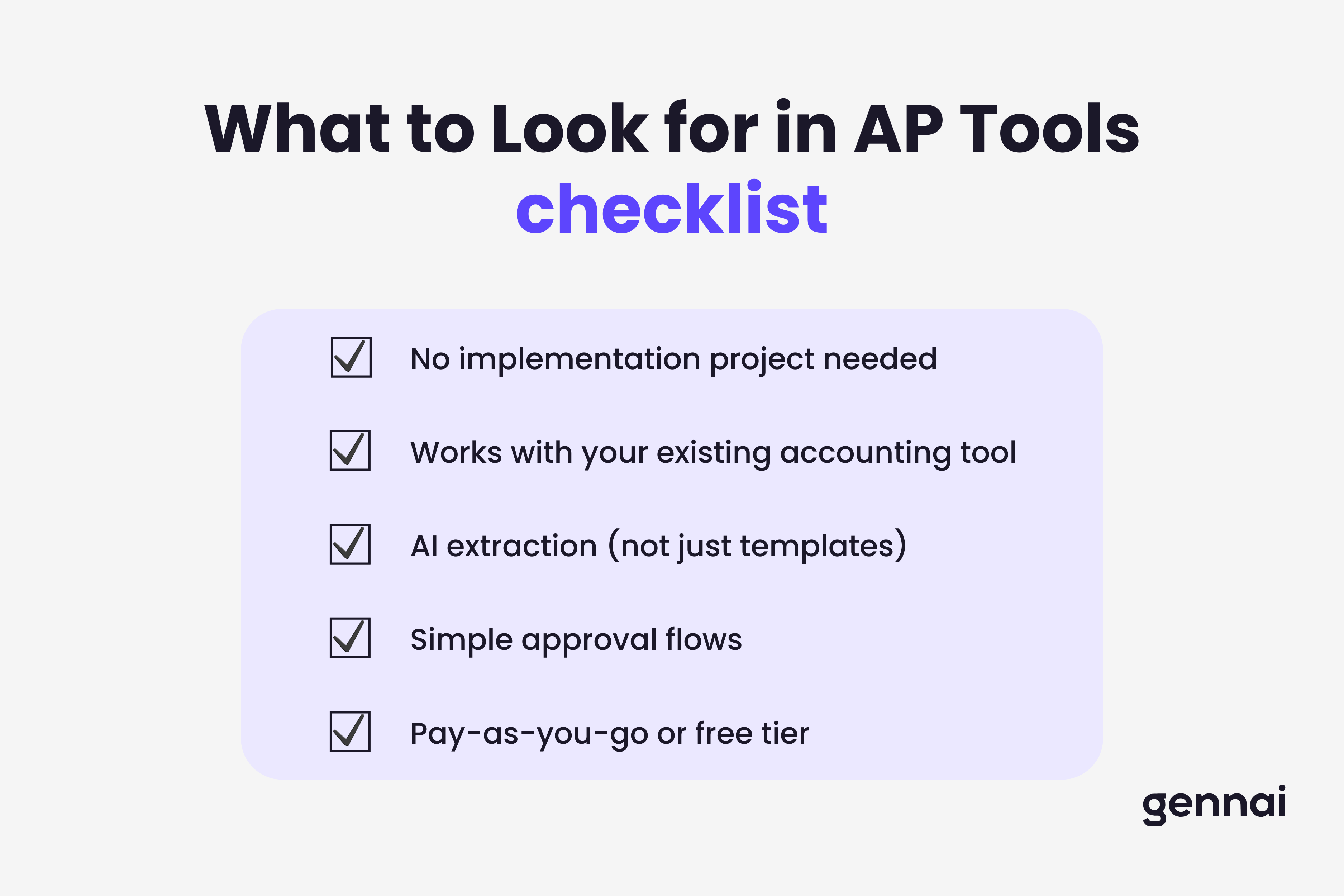
Zero-friction setup. If it takes more than a day to get running, it's the wrong tool. Small teams need to connect their email or upload invoices and start seeing results immediately. No implementation consultants, no onboarding calls, no configuration phases.
Integration with what you already use. Most small businesses run on QuickBooks, Xero, or a similar accounting platform. The AP tool needs to push extracted data directly into that system without manual export or re-entry. If it doesn't connect to your existing stack, it's just moving the manual work from one screen to another.
AI-powered extraction, not templates. Some tools require you to set up templates for each vendor's invoice format. That works when you have 20 vendors with consistent invoices. It falls apart when a new vendor sends a completely different layout. AI extraction reads any invoice format without pre-configuration, which is exactly what small teams need because they don't have time to maintain template libraries.
Simple approval flows. A team of eight doesn't need a five-level approval hierarchy. Most small businesses need one or two approvers and the ability to set a threshold: anything under $500 gets auto-approved, everything else goes to the founder or finance lead. The tool should make this simple to configure, not force you into enterprise-grade workflow builders.
Pricing that matches your scale. Free tiers, per-invoice pricing, or low monthly subscriptions. Small teams should be able to start at zero or near-zero cost and scale spending as their volume grows. Avoid tools that charge per user when you only have one or two people touching AP.
The Hidden Cost Small Teams Don't Calculate
When someone on a small team spends 10 hours a week on invoice processing, the cost isn't just their hourly rate multiplied by 10. It's everything they're not doing during those hours.
For a founder, that might be sales calls, product development, or strategic partnerships. For an operations lead, it might be vendor negotiations, process improvements, or customer escalations. The real cost of manual invoice processing includes this opportunity cost, and for small teams, the opportunity cost often exceeds the direct labor cost by a factor of three or more.
There's also the risk factor. When one person handles all invoices and that person gets sick, goes on vacation, or leaves the company, the process stops entirely. There's no backup. Invoices pile up, payments are late, vendors get frustrated. Automation doesn't just save time. It removes the single point of failure that makes small team AP so fragile. And unlike hiring a second person to share the load, automation costs a fraction of an additional salary while working around the clock.
Where the Bottlenecks Hit Hardest
The common AP bottlenecks that affect large companies hit small teams even harder because there's less slack in the system. When an approval stalls because the one approver is traveling, there's nobody else to step in. When an exception needs investigation, the same person handling it is also the person who was supposed to process the next 15 invoices.
Small teams can't afford bottlenecks because they can't absorb them. The queue doesn't just slow down. It stops.
Getting Started Without a Project Plan
You don't need a phased rollout or a change management strategy. You need to take one step.
Connect your business email to an AI-powered invoice extraction tool. Every invoice that arrives in your inbox gets read, extracted, and organized automatically. You review the results, approve or adjust, and push them to your accounting system. For a step-by-step walkthrough of connecting your inbox and letting AI handle the rest, see our guide on how to automatically extract invoices from email. That single change eliminates the two biggest time sinks: manual data entry and scattered invoice intake. Most teams see the impact within the first week, not because the savings are theoretical, but because you physically notice the hours coming back.
Once that's working, layer on simple approval rules and payment tracking. But start with extraction. It's the highest-impact change with the lowest effort, and it's where most small teams see the immediate "why didn't I do this sooner" moment.
The right approach also depends on your industry. Our industry guide to invoice automation covers sector-specific strategies including approaches sized for smaller teams.
For a detailed walkthrough of what comes next, see our complete AP automation implementation guide.
Or skip the guide and just try it. Start free with Gennai, connect your email, and see what happens when invoices stop being your problem.
Ready to automate your invoices?
Start extracting invoices from your email automatically with Gennai. Free plan available, no credit card required.
Start FreeRelated Articles
Accounts Payable Turnover Ratio Explained
The accounts payable turnover ratio shows how fast you pay suppliers. Get the formula, a worked example, benchmarks and what your number really means.
GuideNet 30 vs Net 60: What Payment Terms Really Mean for Your Cash
Net 30 vs net 60 explained for business owners: what each term means, when the clock really starts, and how the gap hits your cash on both sides.
GuideThe Accounts Payable Process, Step by Step (for Owners)
The accounts payable process has five steps: receive, verify, approve, pay, and record each invoice. Here is how each works and where owners lose money.